
Leica FlightPro can display a map layer on the following views:
-
North-up
-
Nose-up
-
Project
An introduction to the use of maps is given in section Maps Selection configuration.
For instructions on how to:
-
Define which map Leica FlightPro selects for display see section Maps Selection configuration.
-
Define the content which Leica FlightPro displays on the map layer see section View Configuration.
Examples of views with data displayed on the map layer
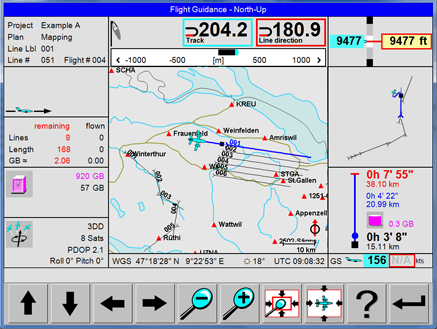
|
North-up view with vector data
|
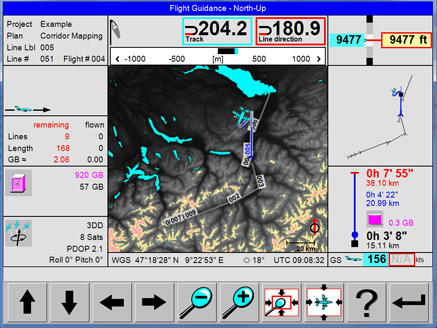
|
North-up view with Elevation Encoded bitmap |
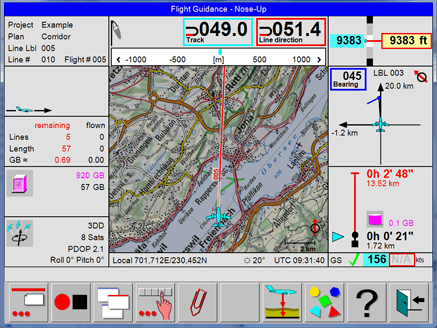
|
Nose-up view with bitmap Map |
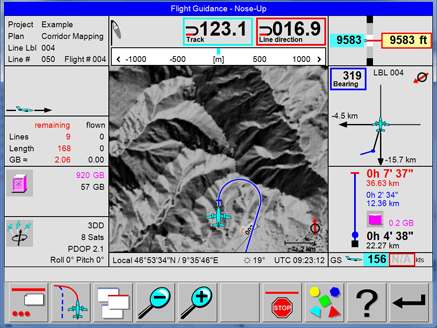
|
Nose-up view with Shaded Relief bitmap |
Examples of views with map layer displayed
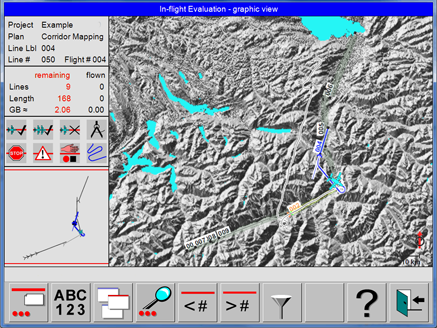
|
Project Status view with Shaded Relief bitmap |
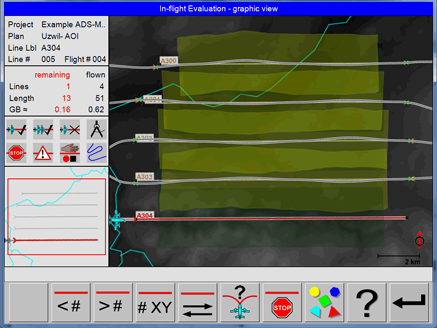
|
Project Status view with Elevation Encoded bitmap and real-time coverage |
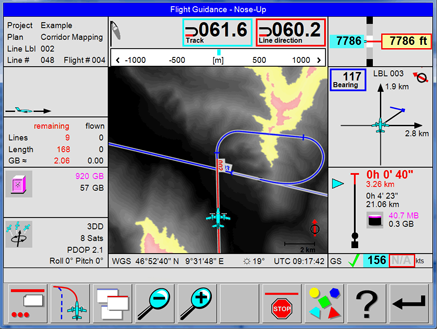
|
Elevation Encoded maps generated by Leica FlightPro are colour-coded, if displayed on the OC61 Operator Console. See section Colour coding of SRTM DTM data if displayed on the Operator Console and Coding of SRTM DTM data if displayed on the Pilot interface The example on the left side shows that the path of the shortest approach passes terrain which is - according to the SRTM DTM data - close or above the current flying height of the aircraft. |
For safety reasons, Elevation Encoded maps are not colour-coded if displayed on the Pilot interface.
Colour coding of SRTM DTM data if displayed on the Operator Console
|
Colour code |
Height range in displayed image |
|
|---|---|---|
|
minimum height |
maximum height |
|
|
Black to white |
Any height from lowest terrain up to 300 m (985 ft) below the aircraft |
300 m (985 ft) below the aircraft |
|
Yellow |
300 m (985 ft) below the aircraft |
100 m (330 ft) below the aircraft |
|
Light red |
100 m (330 ft) below the aircraft |
Any height above the aircraft |
Coding of SRTM DTM data if displayed on the Pilot interface
|
Colour code |
Terrain height |
Remarks |
|---|---|---|
|
Black |
Lowest terrain in displayed image |
Can be any height in the range from below the current aircraft flying height to above the current aircraft flying height |
|
White |
Highest terrain in displayed image |