
The operator can add atmospheric information during flight execution. The operator can add multiple atmospheric information entries during the same flight session. All the atmospheric information entries are added to the flightdata.xml metadata file that is passed along with the recorded data for data processing. The operator cannot edit or delete the existing atmospheric information entries.
The operator have to enter the following atmospheric information in the Atmospheric Information view.
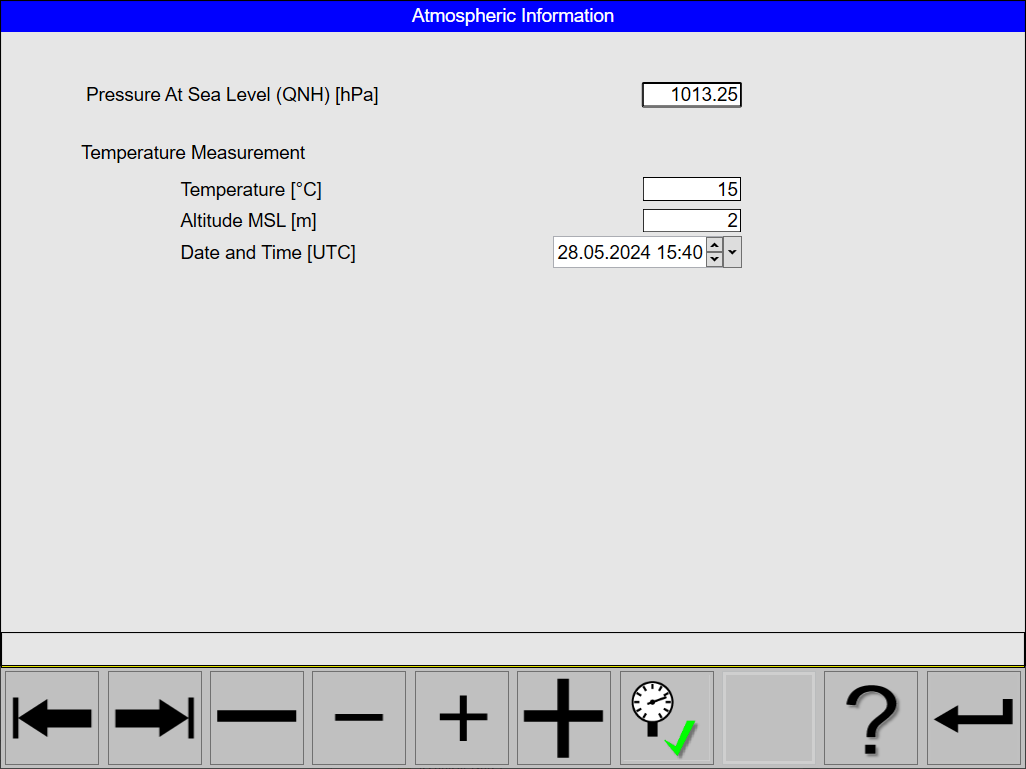
Add an Atmospheric Information entry
Adding an Atmospheric Information entry is only possible during Flight Execution
-
Select any of the Flight Guidance Views
-
Click the Annotation

-
Click the Atmospheric Information

-
Click the Tab Left


-
Click the Large Increment


-
Enter the values for:
-
Pressure At Sea Level (QNH) with units of hPA
-
Temperature with units of °C
-
Altitude MSL with units of metre
-
Date and Time
-
-
Click the Set Atmospheric Information

-
Click the Accept


-
Click the Return
