
Tie point thinning is available as an option directly in the APM workflow. In case thinning was not applied during APM you can apply it afterwards with Thin Tie Points tool.
-
Launch the point thinning via the Tools menu > Thin Tie Points
-
Select Mild or Strong thinning depending on the thinning amount desired.
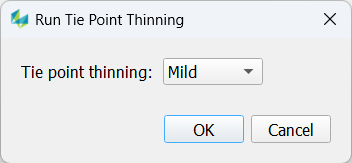
Once the thinning process finishes, an information pops up which informs about point statistics before and after the thinning process:
The thinning process doesn’t delete any tie points, but changes the status of thinned out points to “deactivated”. This allows the user to recover these points, if desired. In any other case the user may finally want to delete those points. This can be done by checking all tie points with status “deactivated” within the Points Tab and use the “Delete all selected points” button.