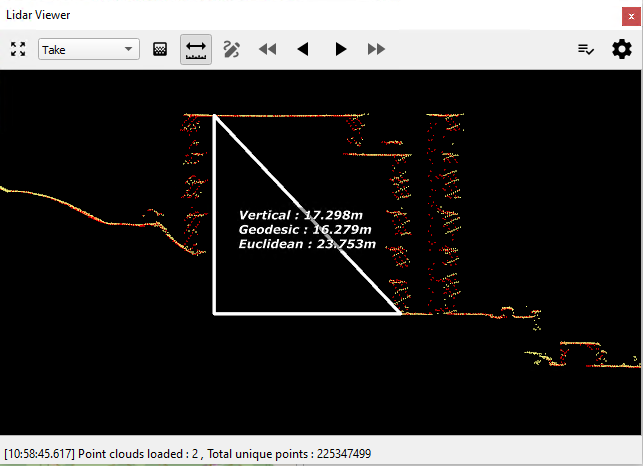
The distance measurement tool within the Lidar viewer allows to measure distances between two selected points. Distances computed are given for:
-
Vertical distance: ellipsoidal height difference between the two points
-
Geodetic distance: horizontal distance following the curvature of the ellipsoid
-
Euclidean distance: direct (diagonal) distance between the selected points
Distances computed are shown directly in the point cloud view together with a visualization of the three measurement distances.
Measuring Distances
Distances can be measured within any point cloud loaded (single takes, multiple takes or cross-sections). Activate the measurement tool by clicking on the corresponding button in the toolbar.

With the tool activated, press down the shift key and move the cursor over a point. HxMap will indicate that a point was found by changing the cursor from the regular arrow to a cross-hair icon. Select the first point by clicking on it and repeat for the second point. The measurement triangle and the computed distances are then shown on the screen.