
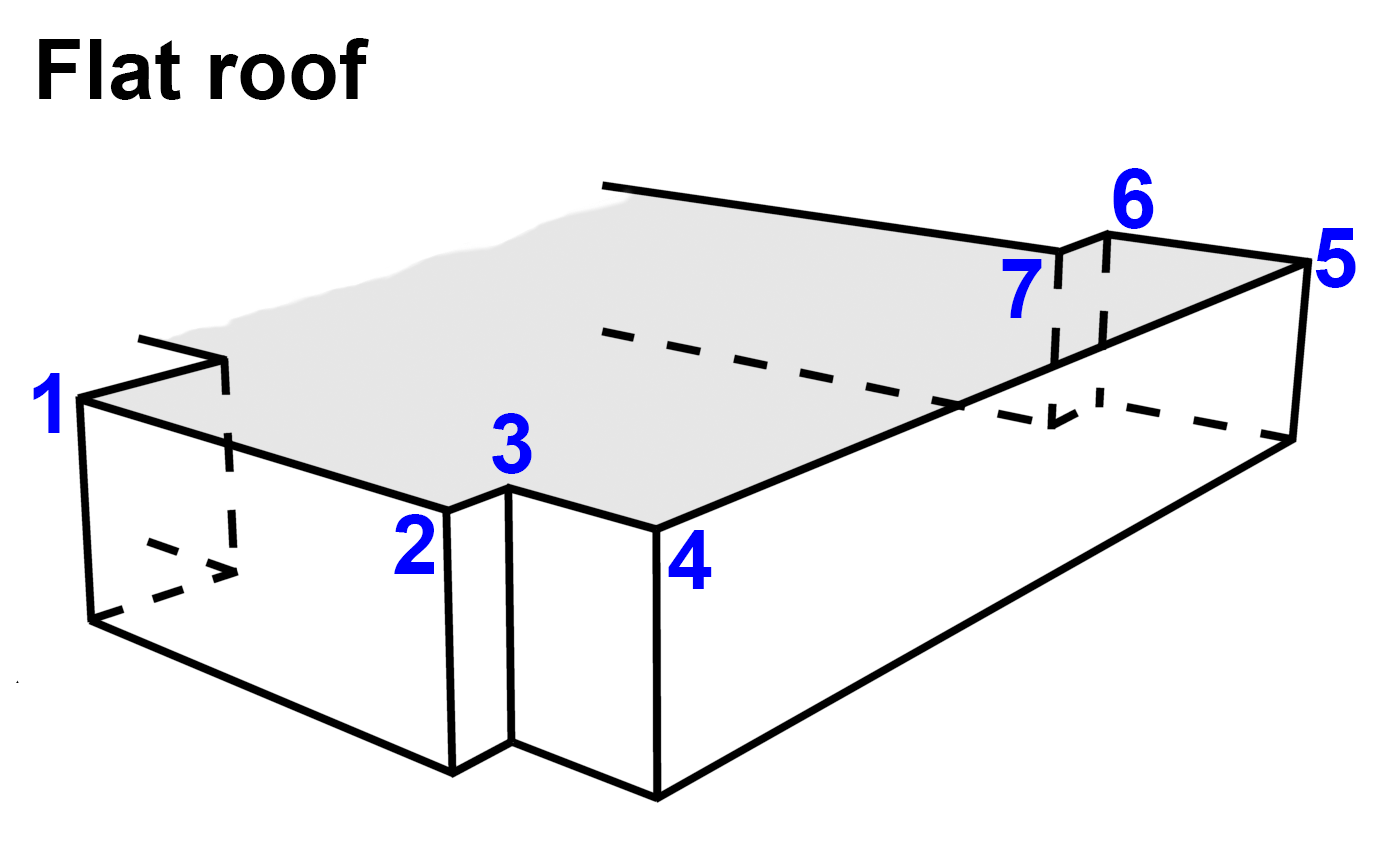
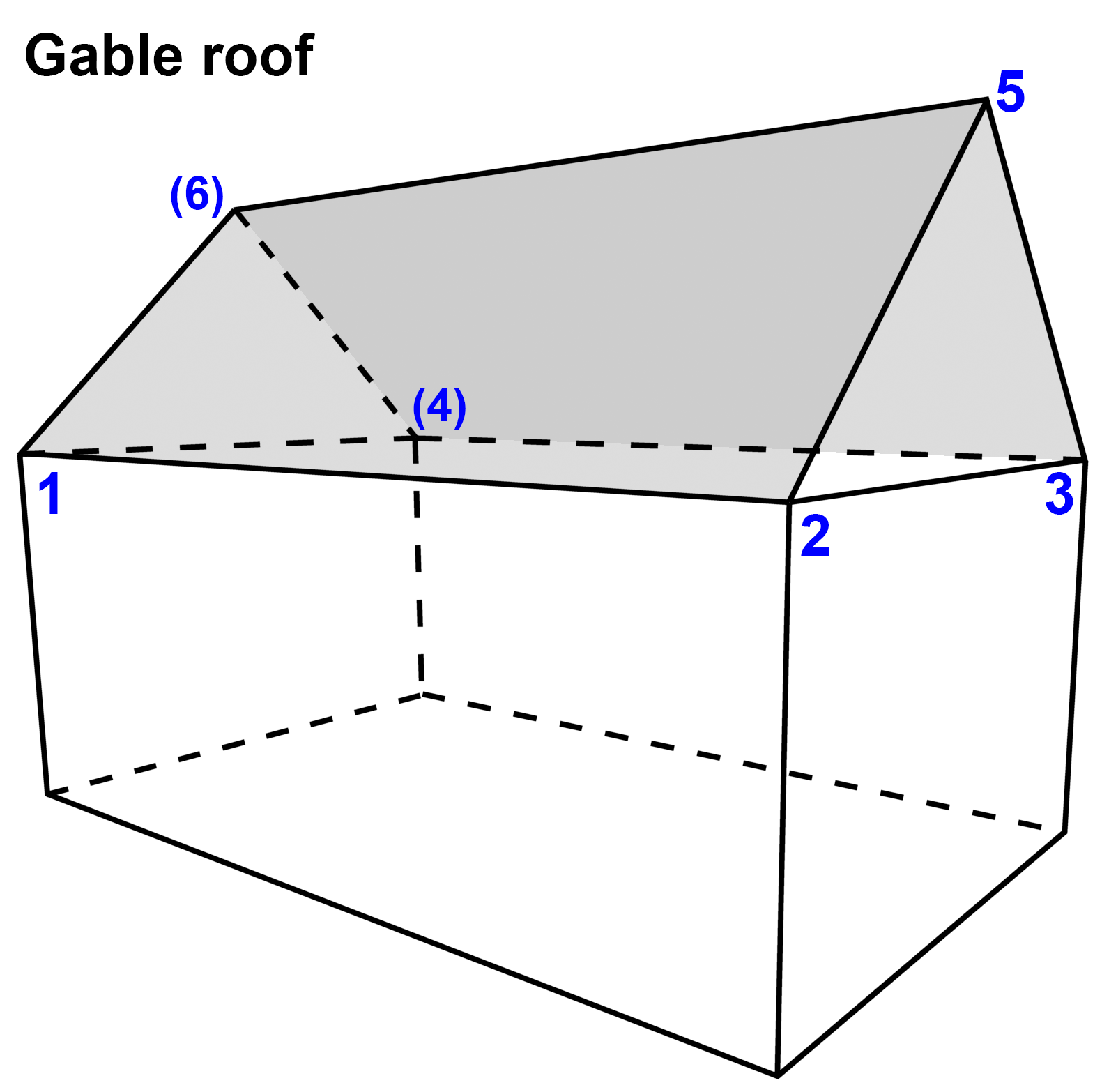
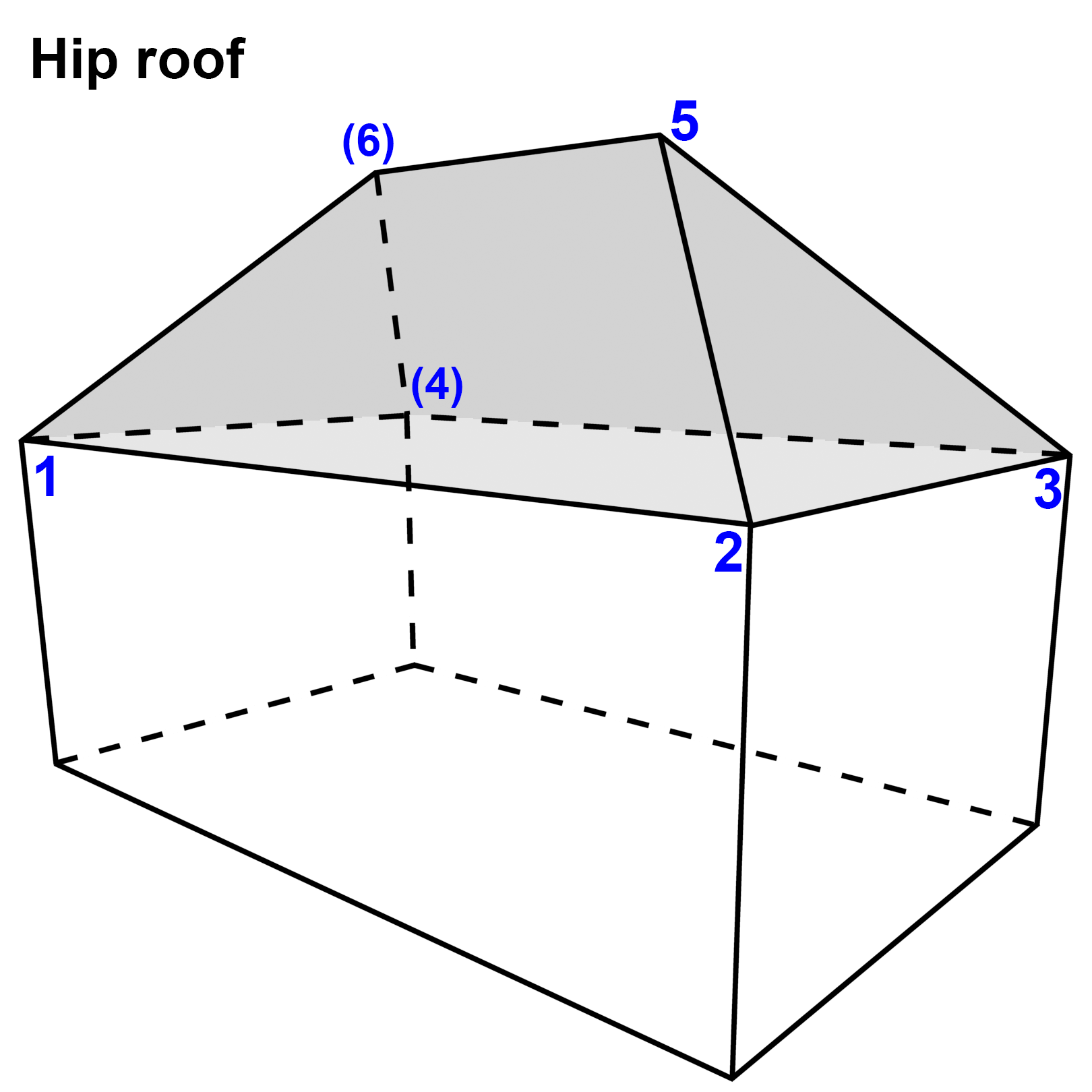
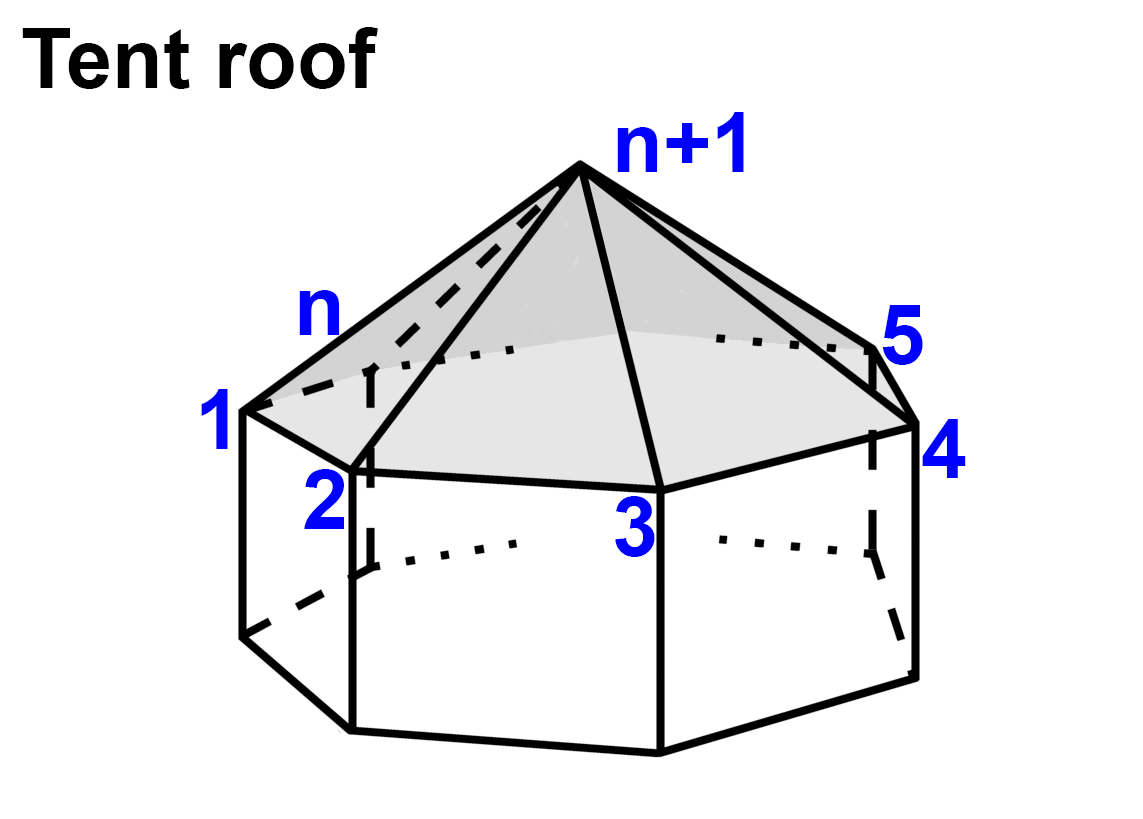
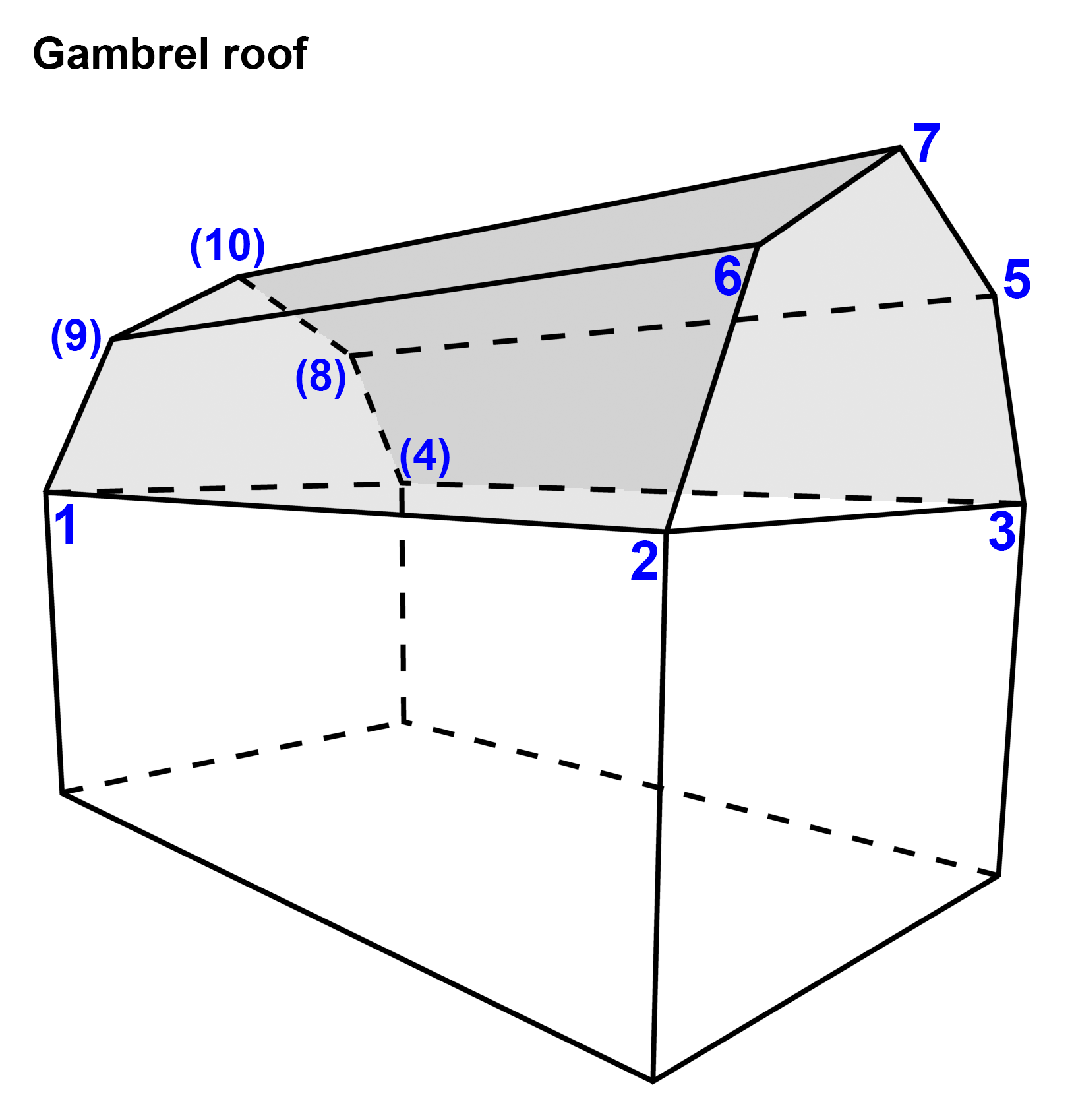
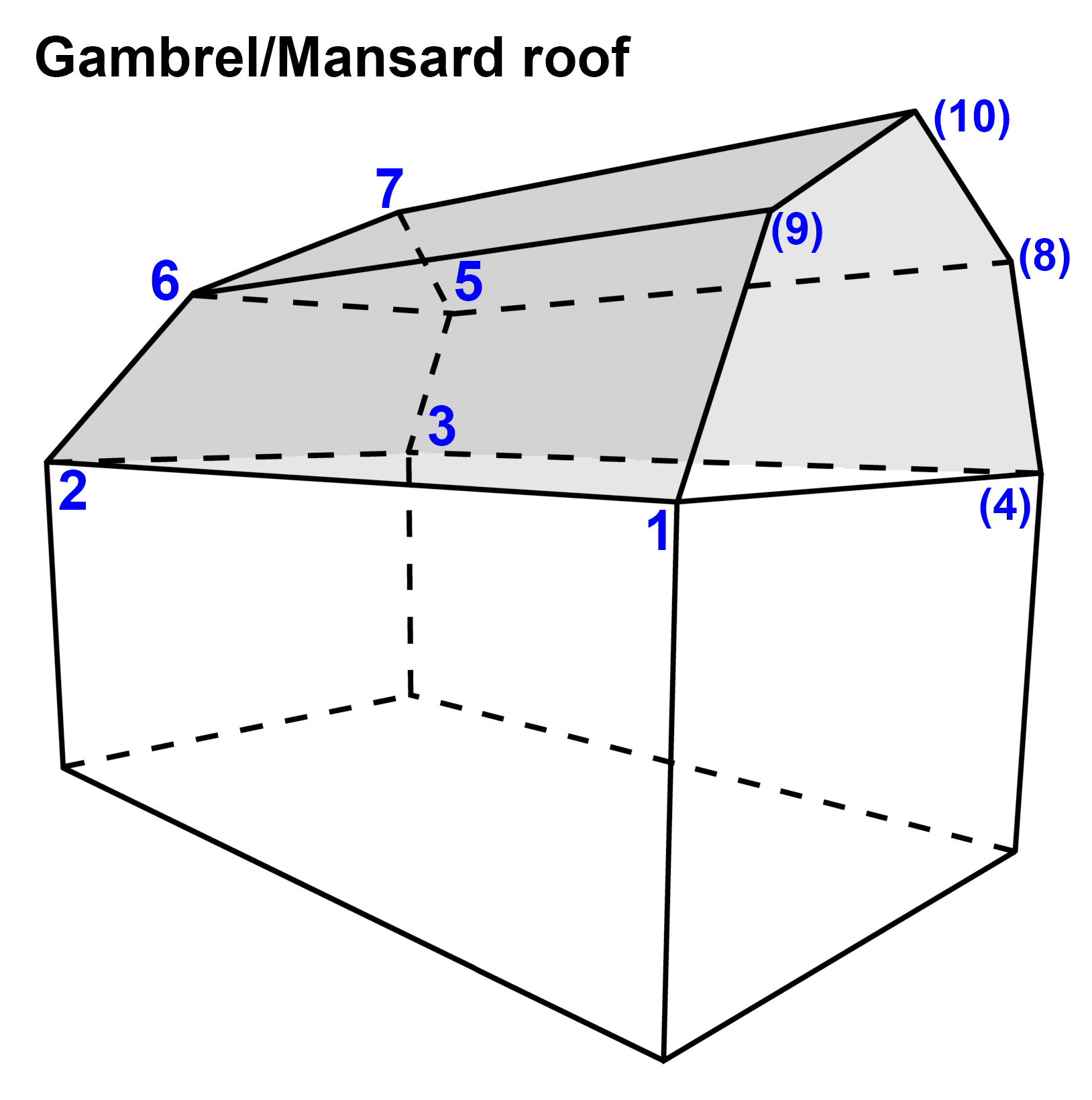
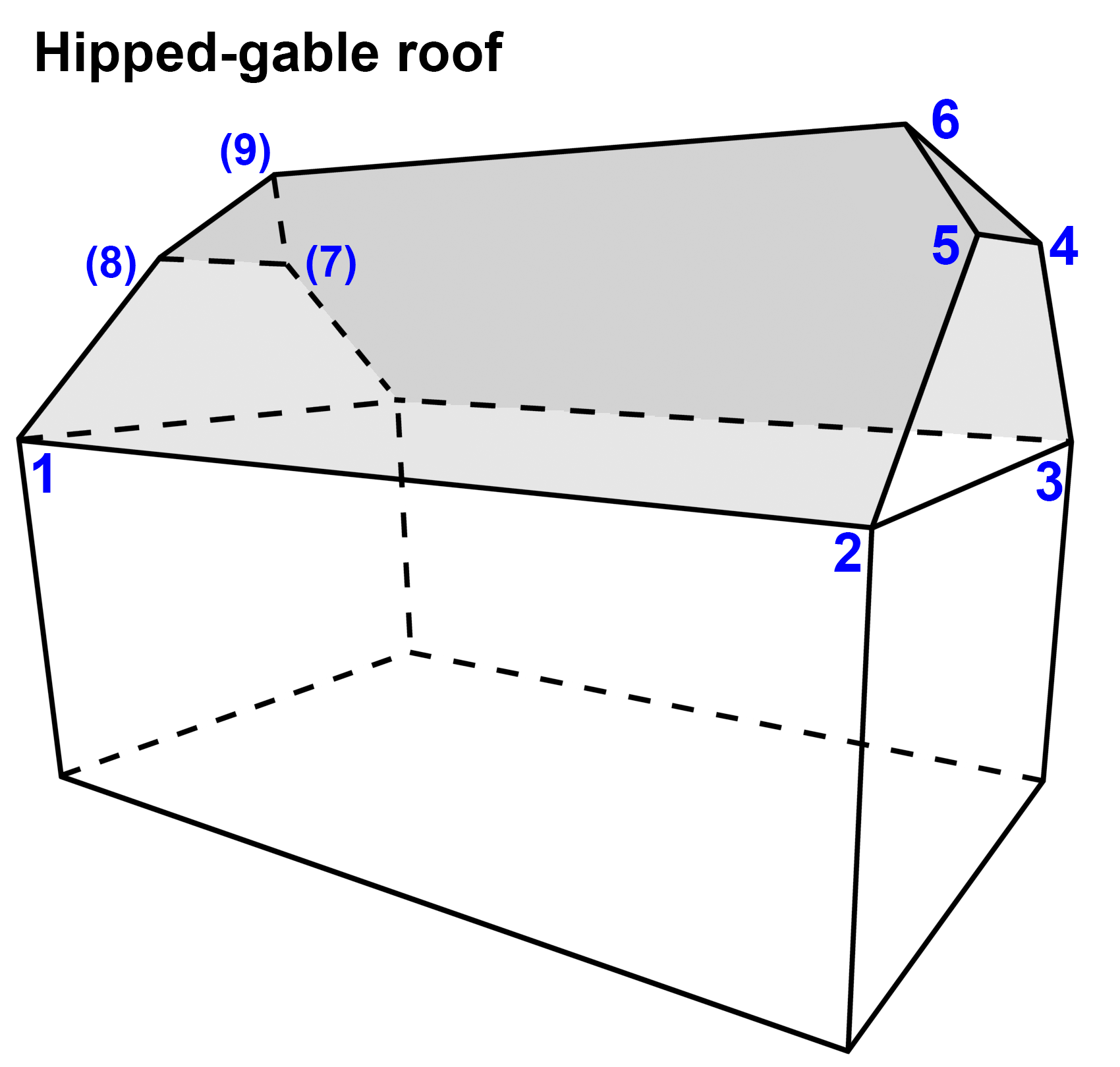
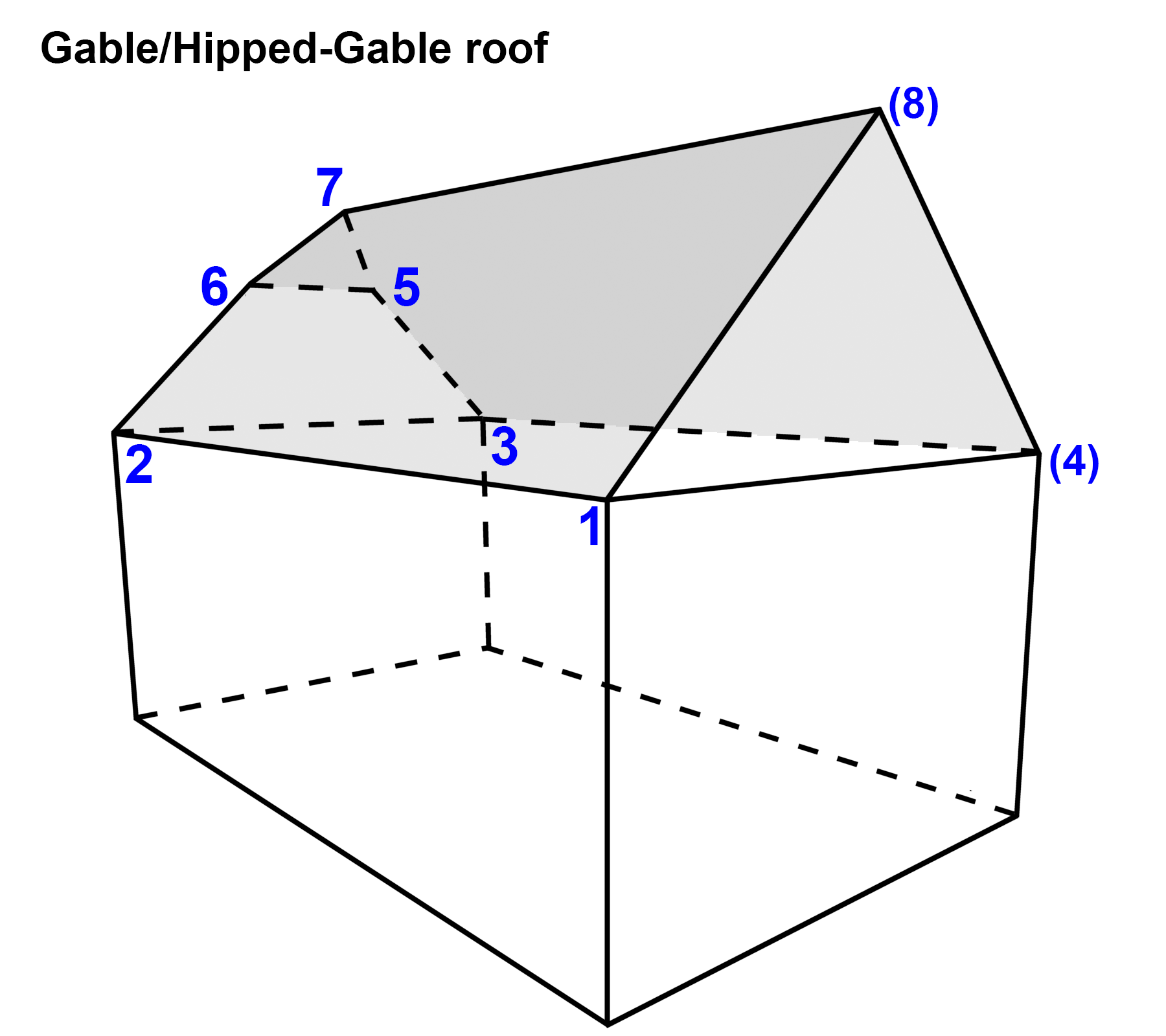
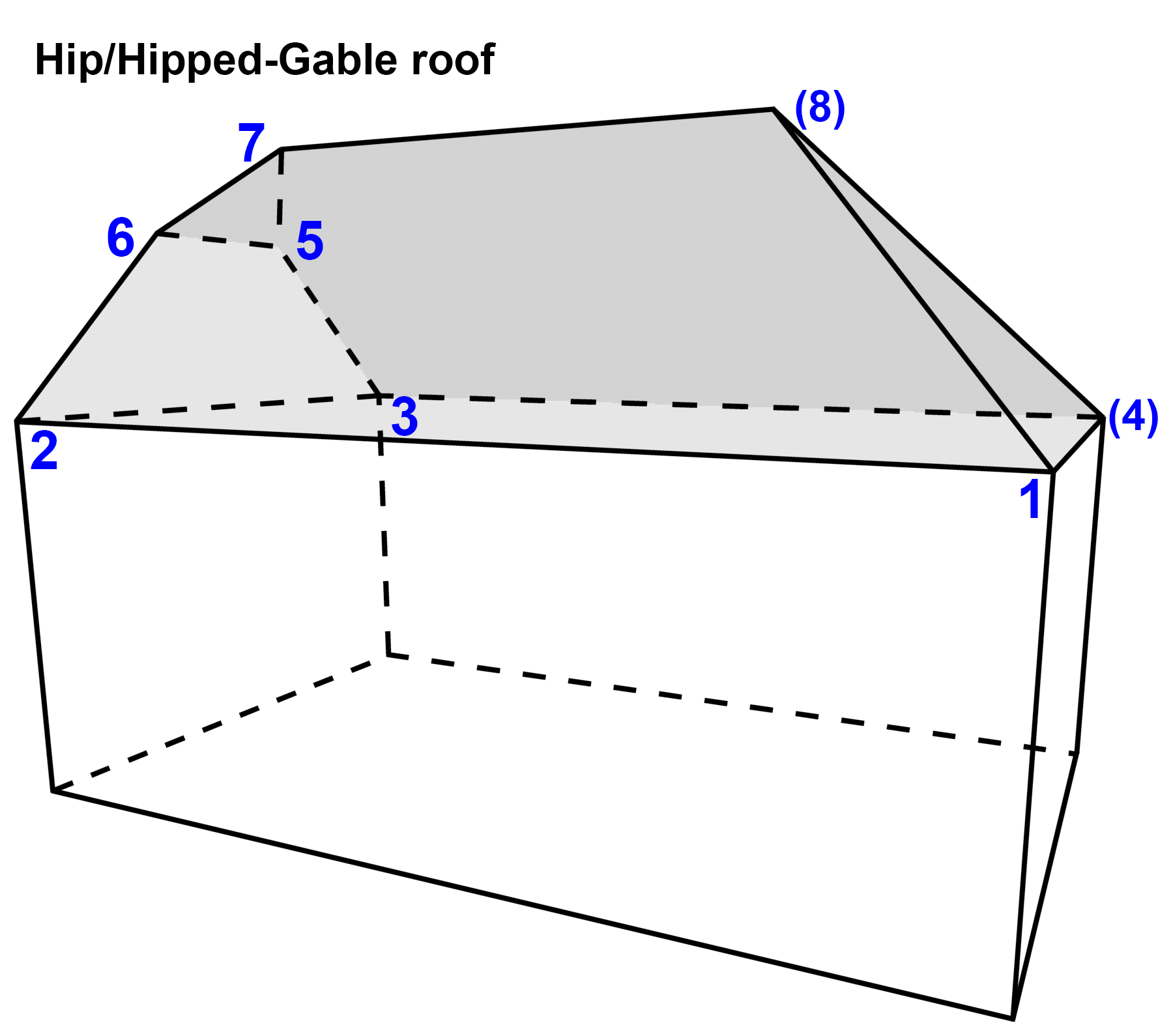
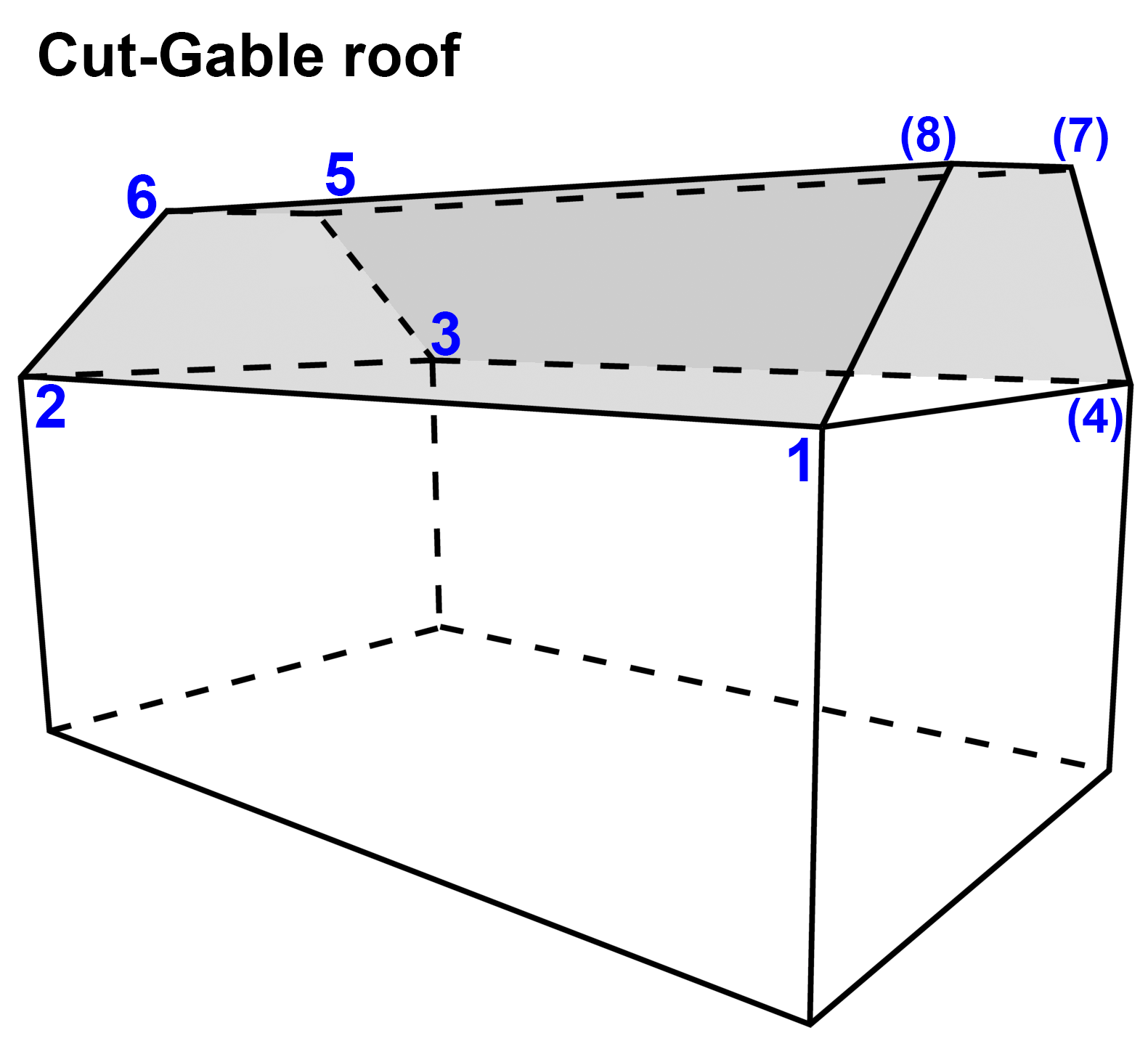
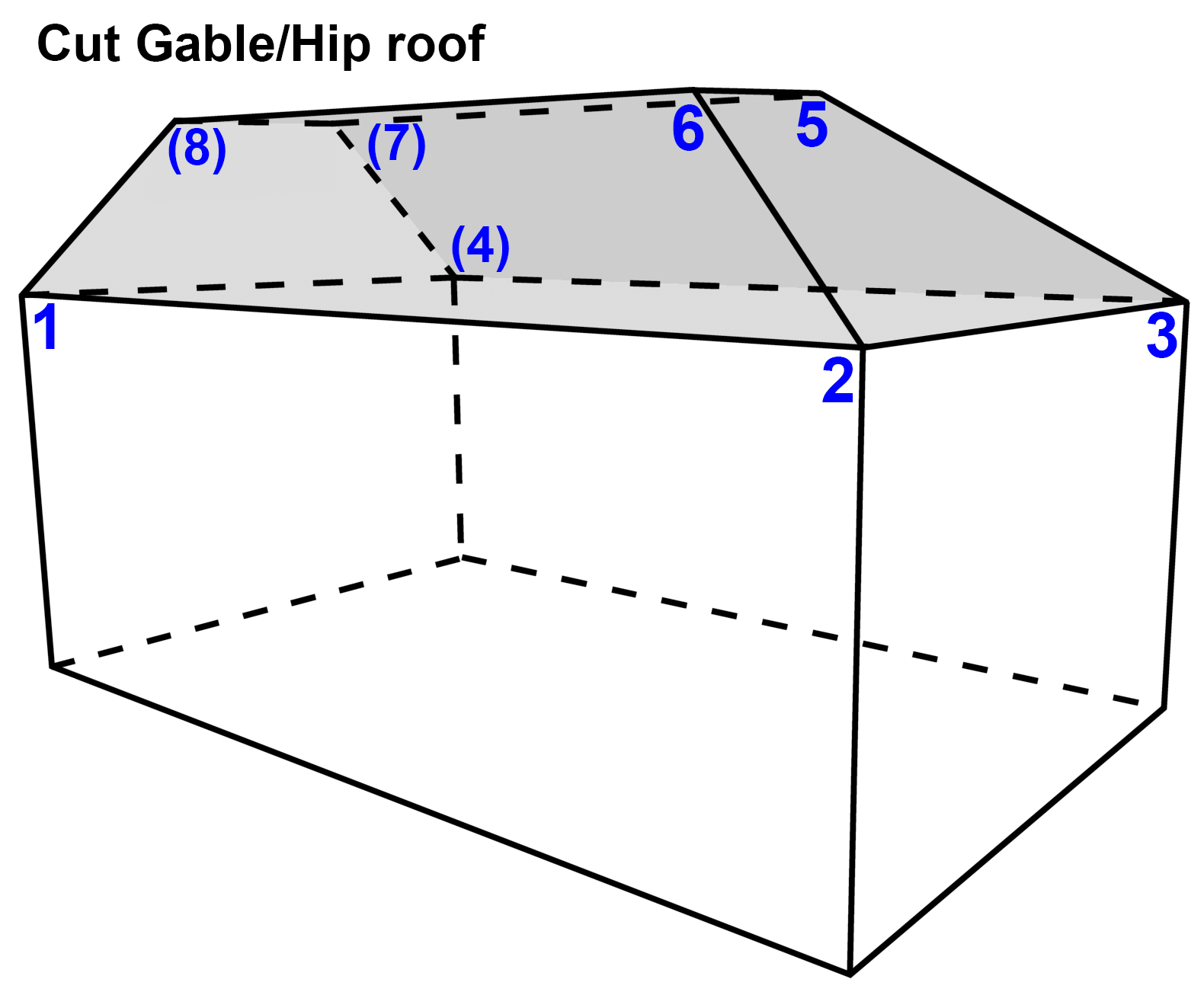
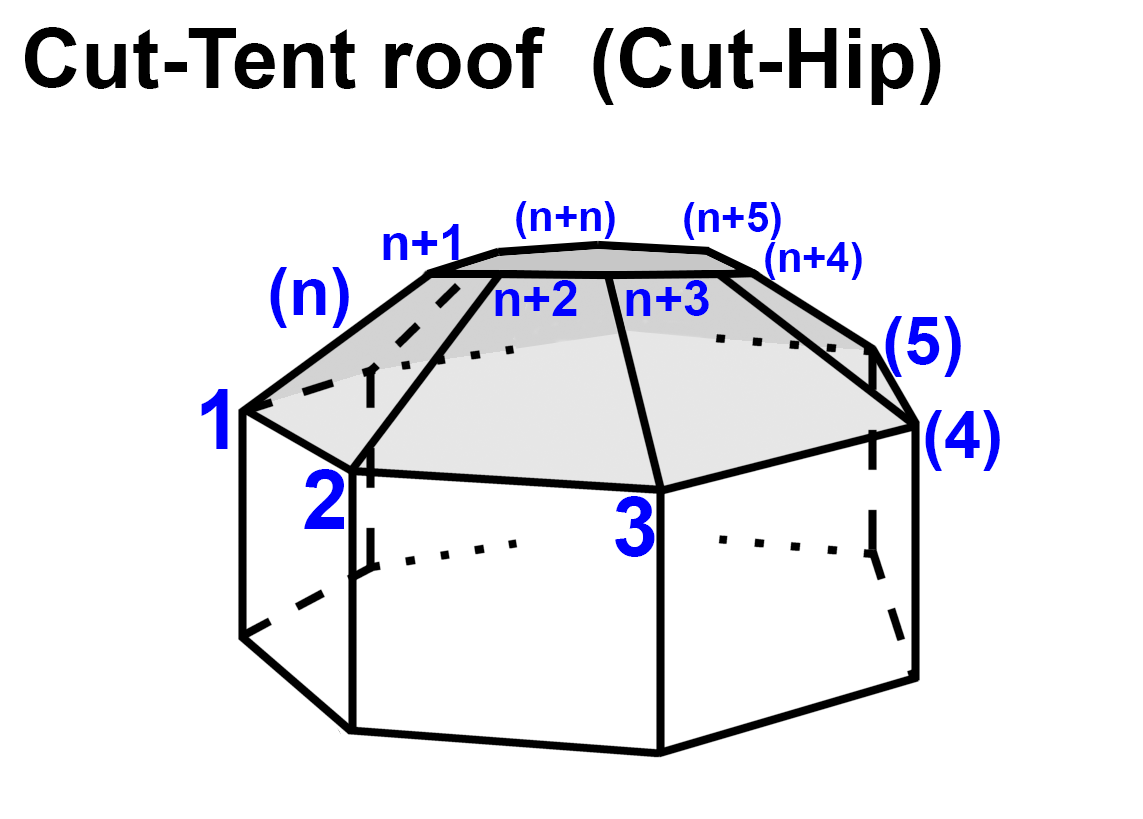
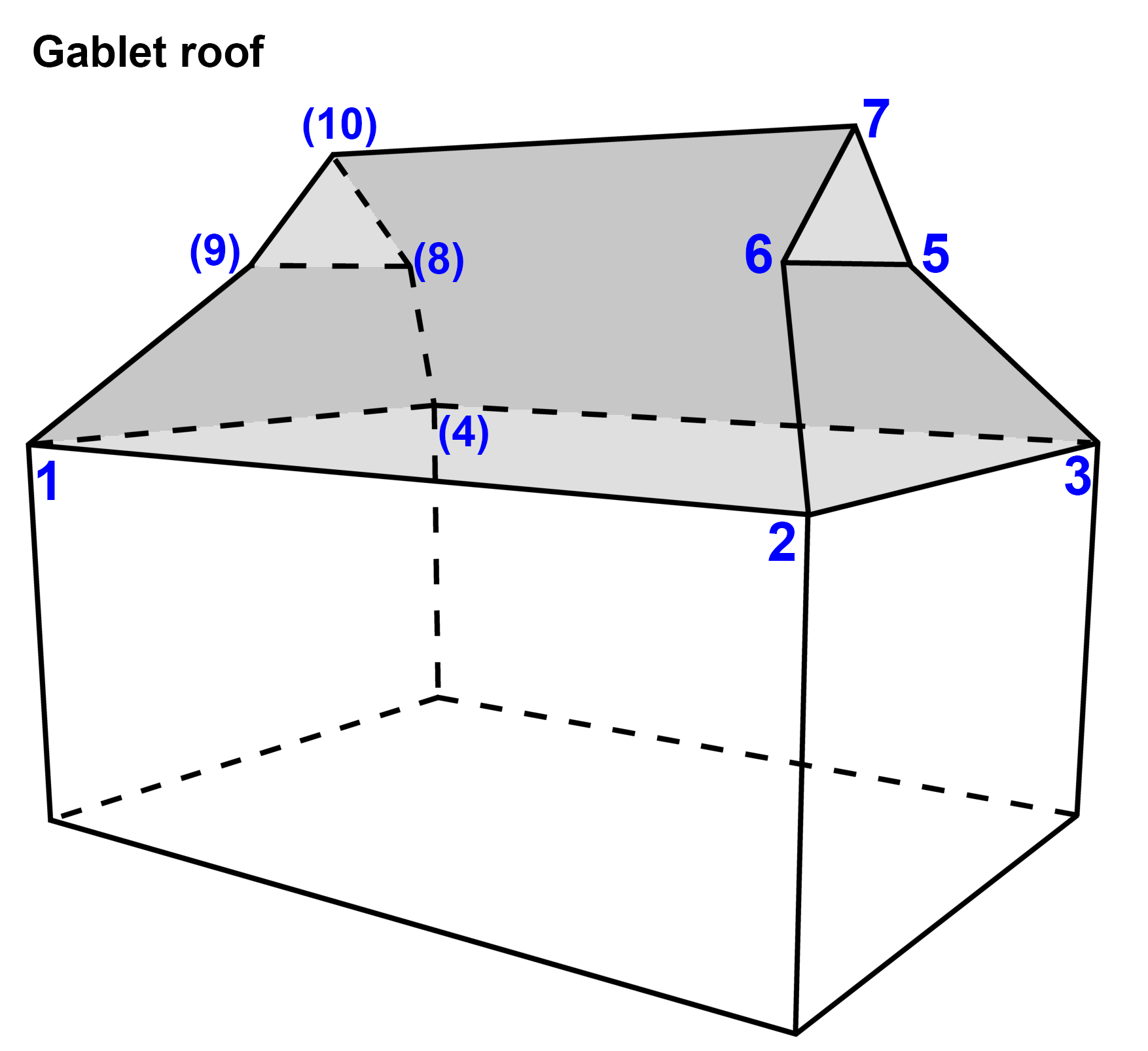
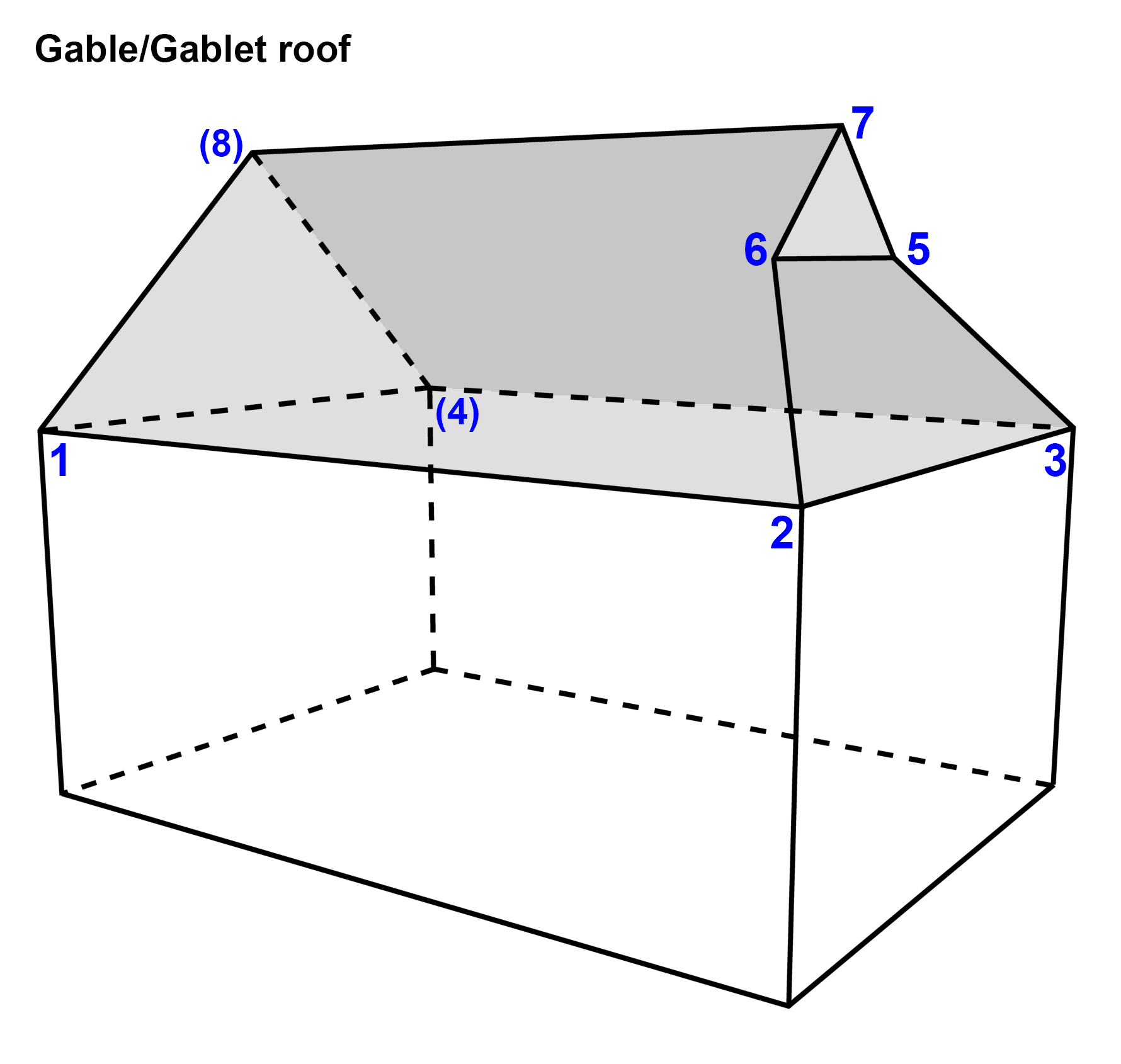
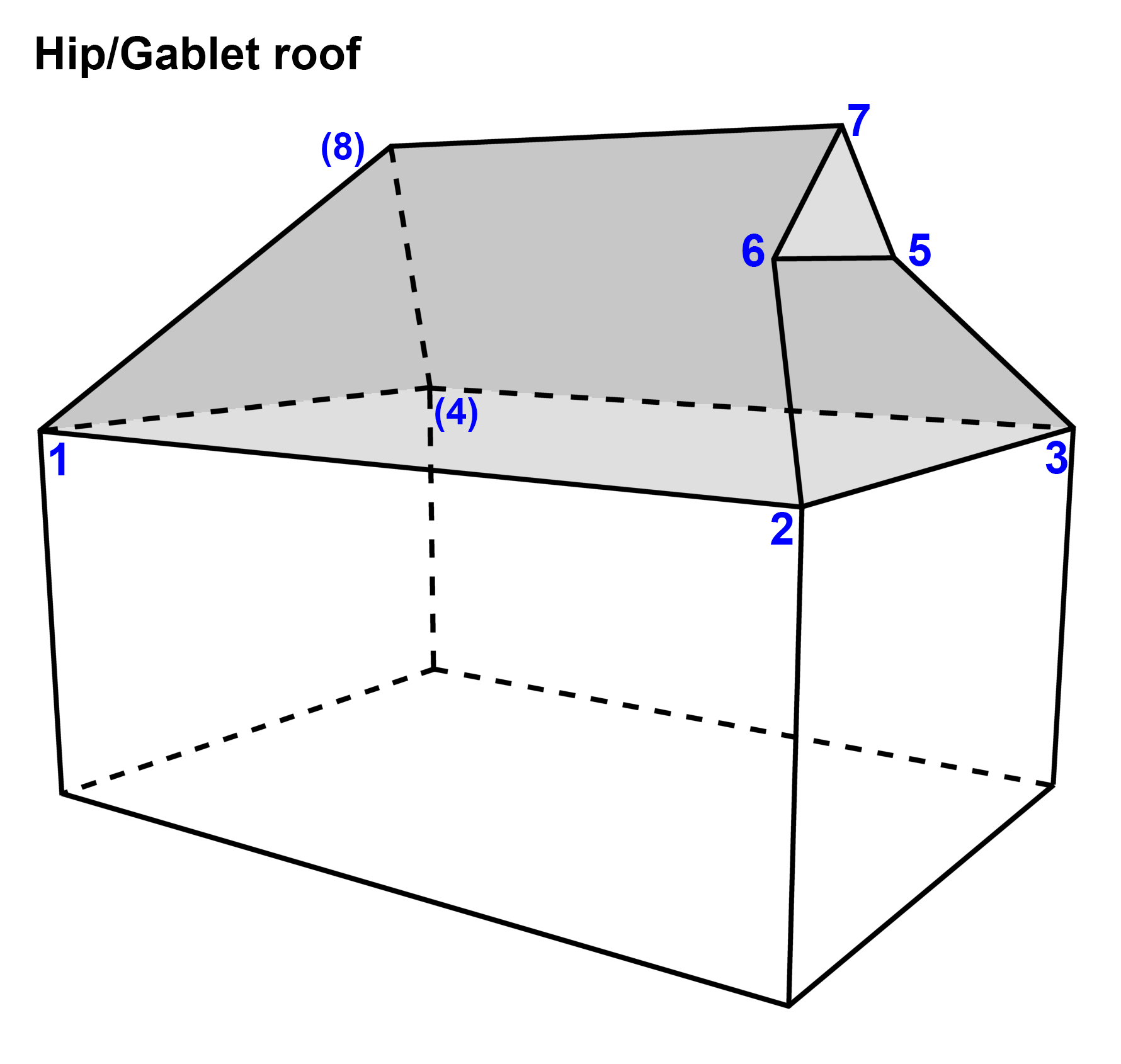
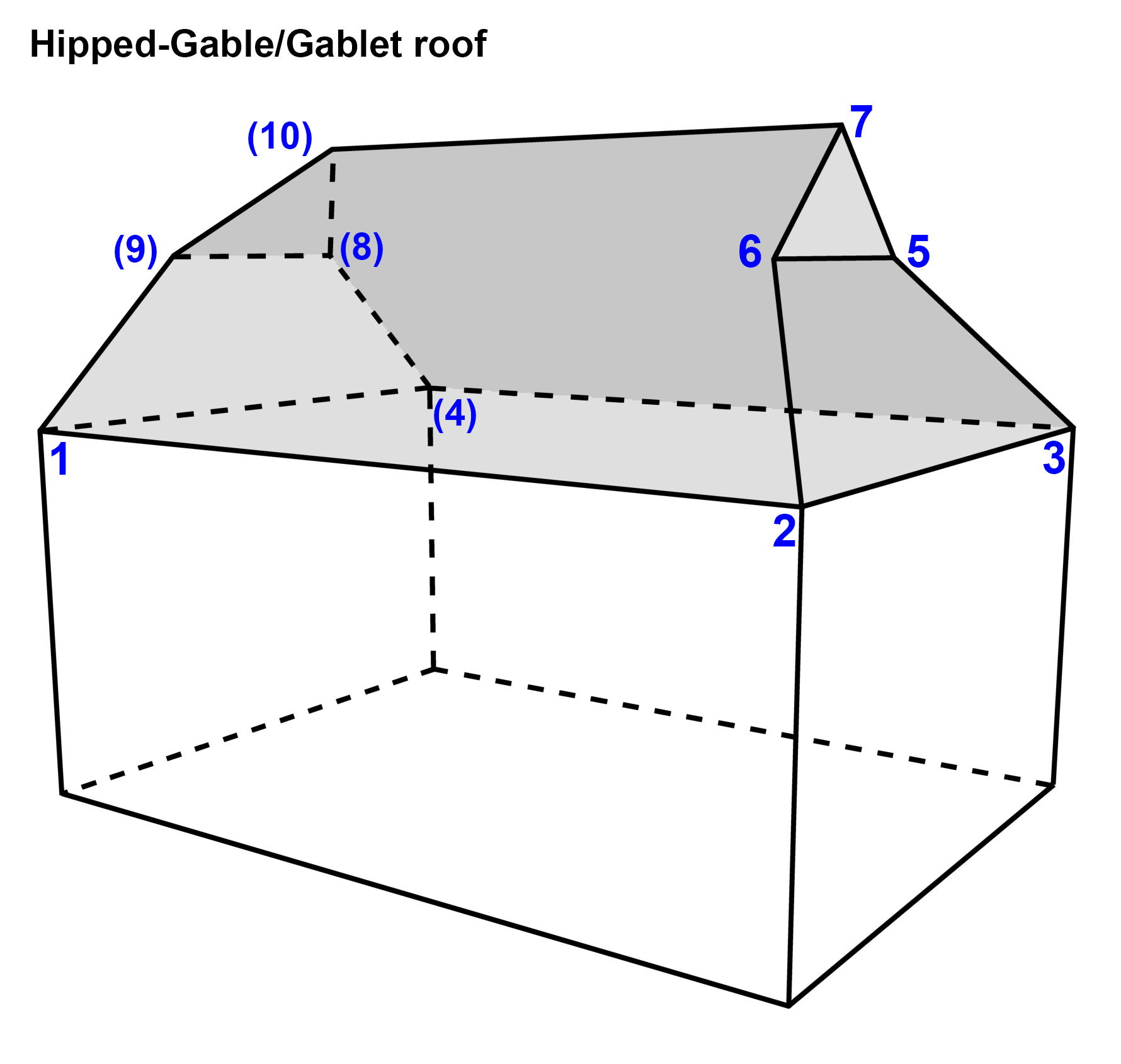
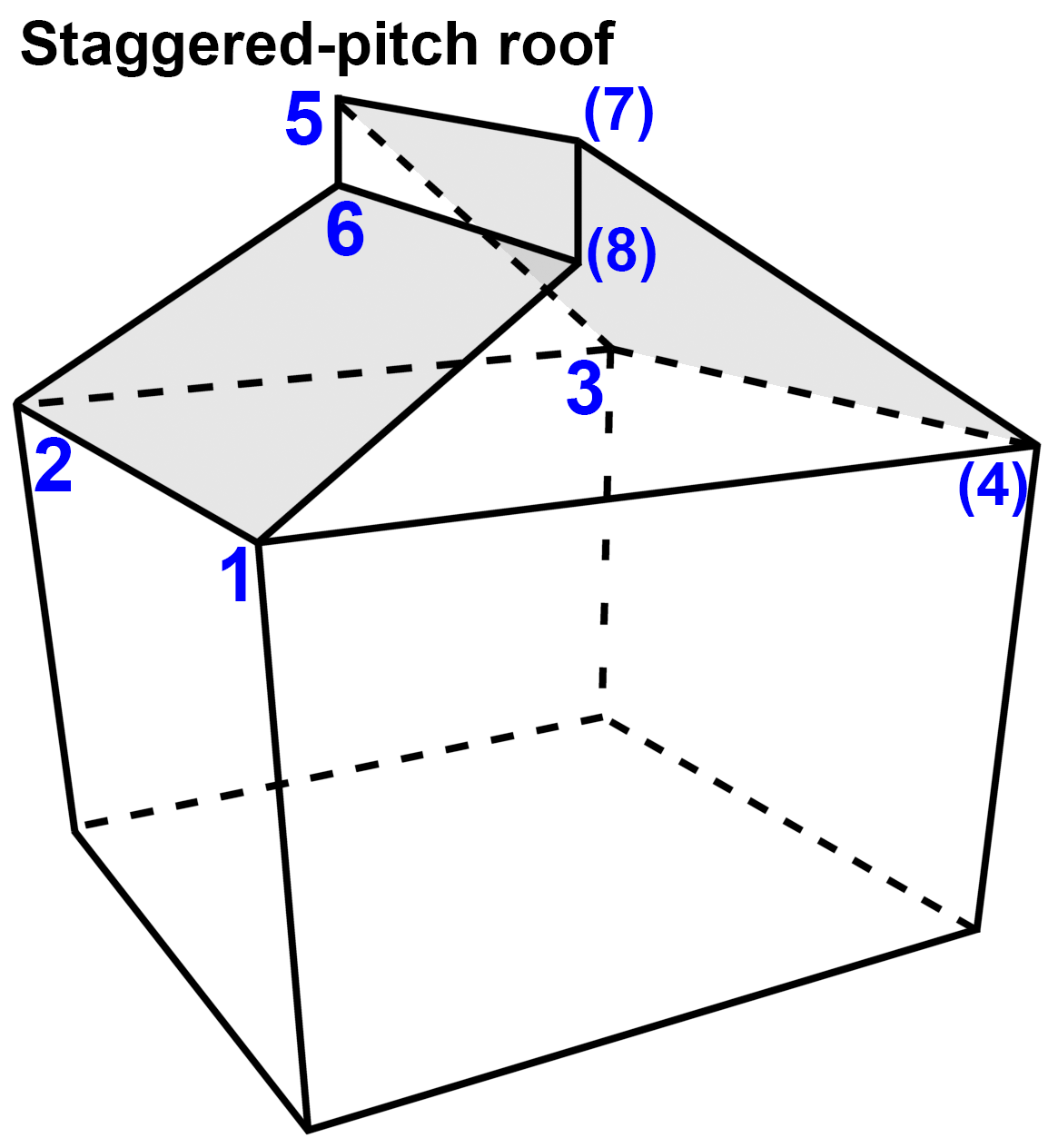
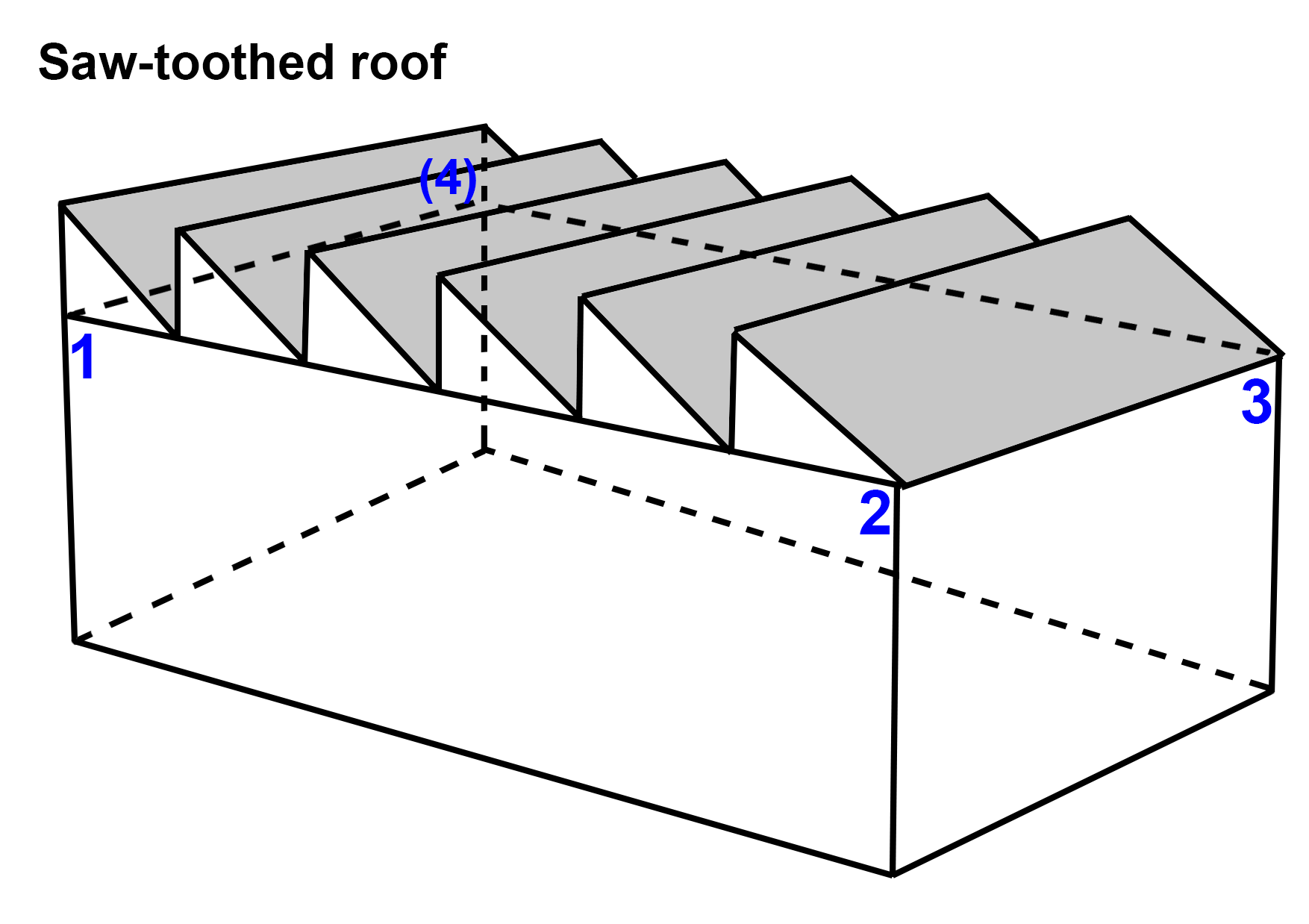
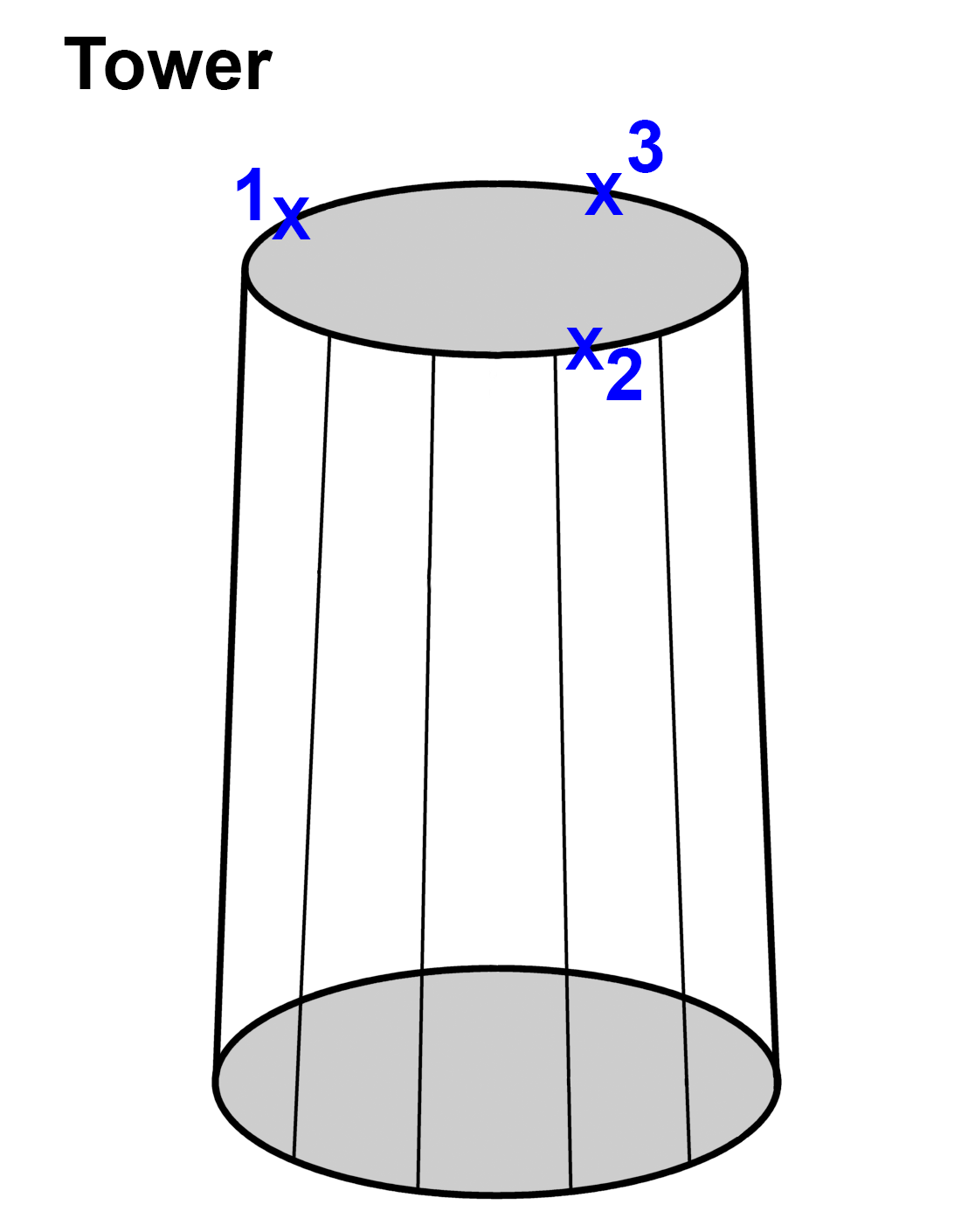
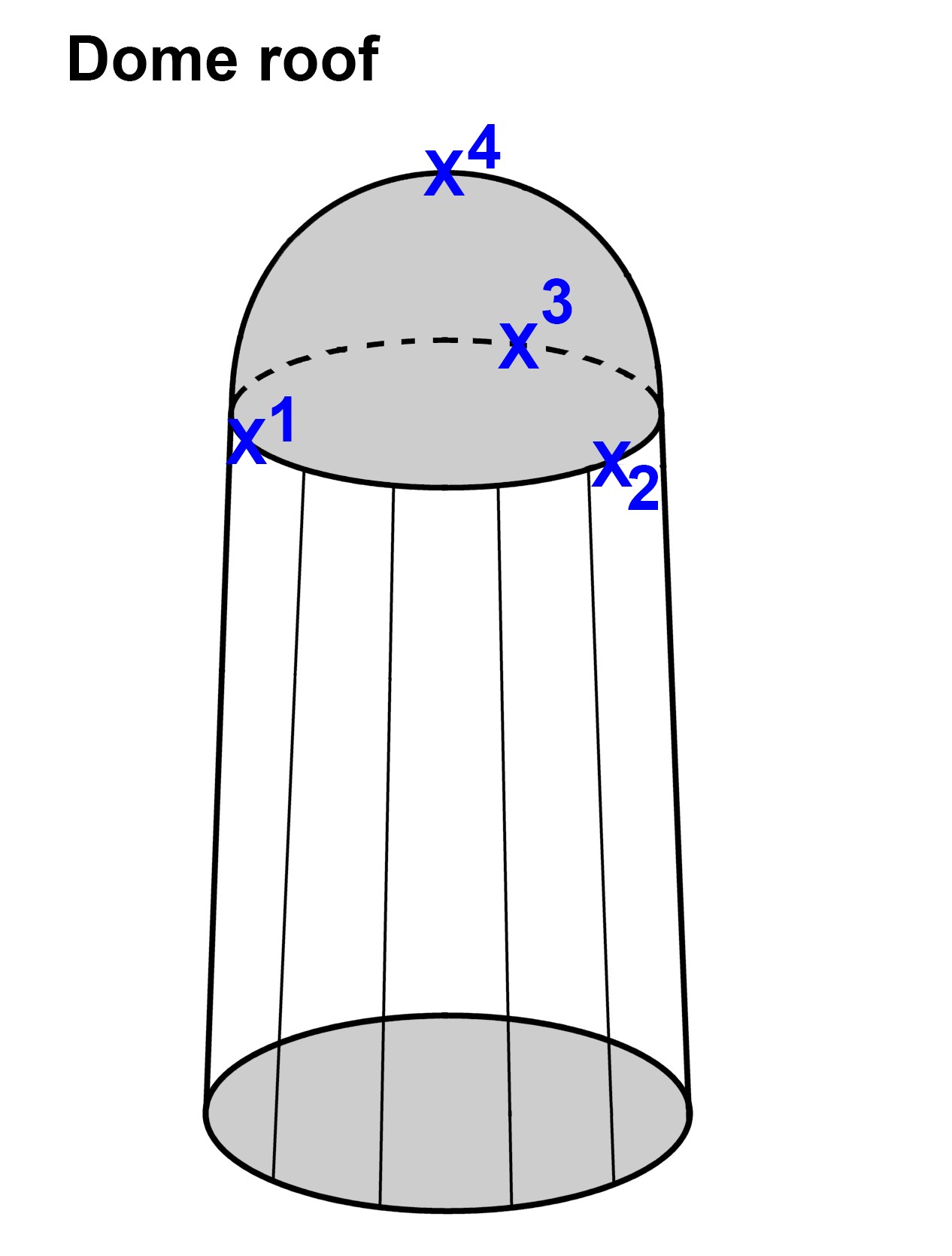
The capture mode of the 3D editor perspective allows to manually define new building geometries. Depending on the building type chosen, HxMap will expect a pre-defined order of vertices to be defined.
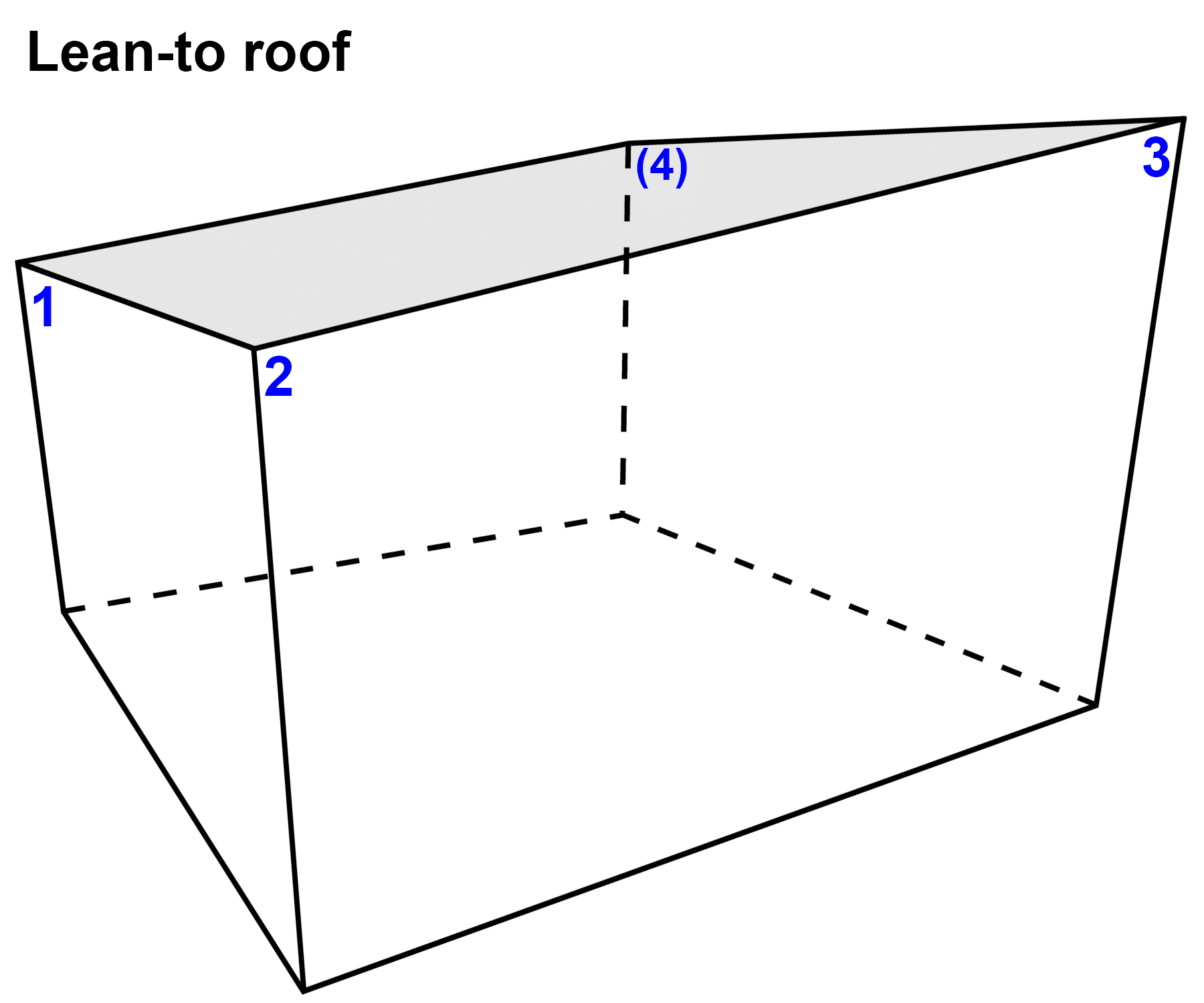
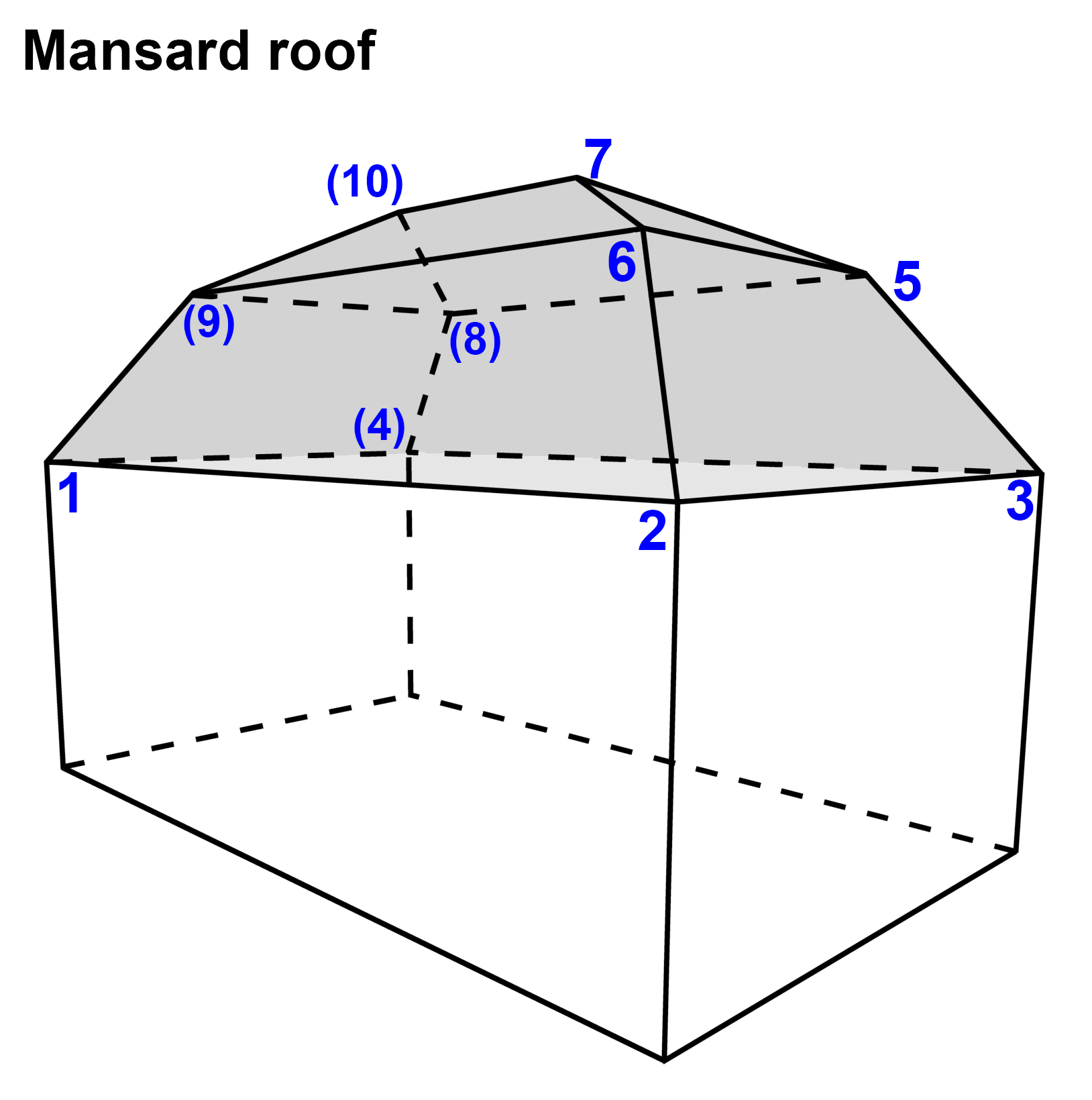
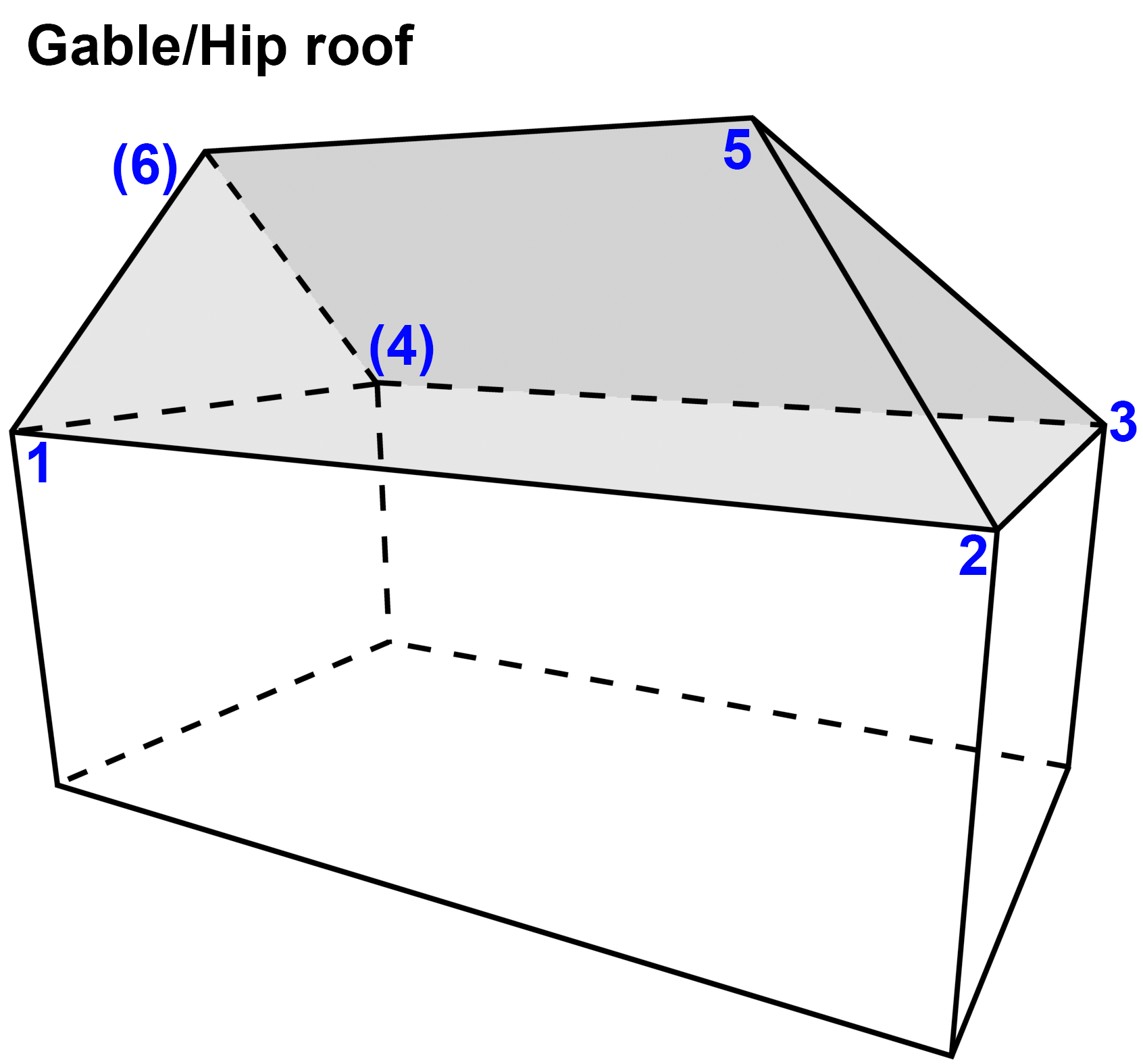
If a number is in a bracket it indicates that this vertex will be set automatically if the option “Auto Set Last Point” is marked in the capture function definition list.
|
Roof type |
Constructional Orders |
|
|---|---|---|
|
1 |
Flat roof Flat roof can contain 3 to n points.
|
|
|
2 |
Gable roof |
|
|
3 |
Hip roof |
|
|
4 |
Tent roof Tent roof can contain 3 to n eaves points.
|
|
|
5 |
Leant-to roof |
|
|
6 |
Mansard roof |
|
|
7 |
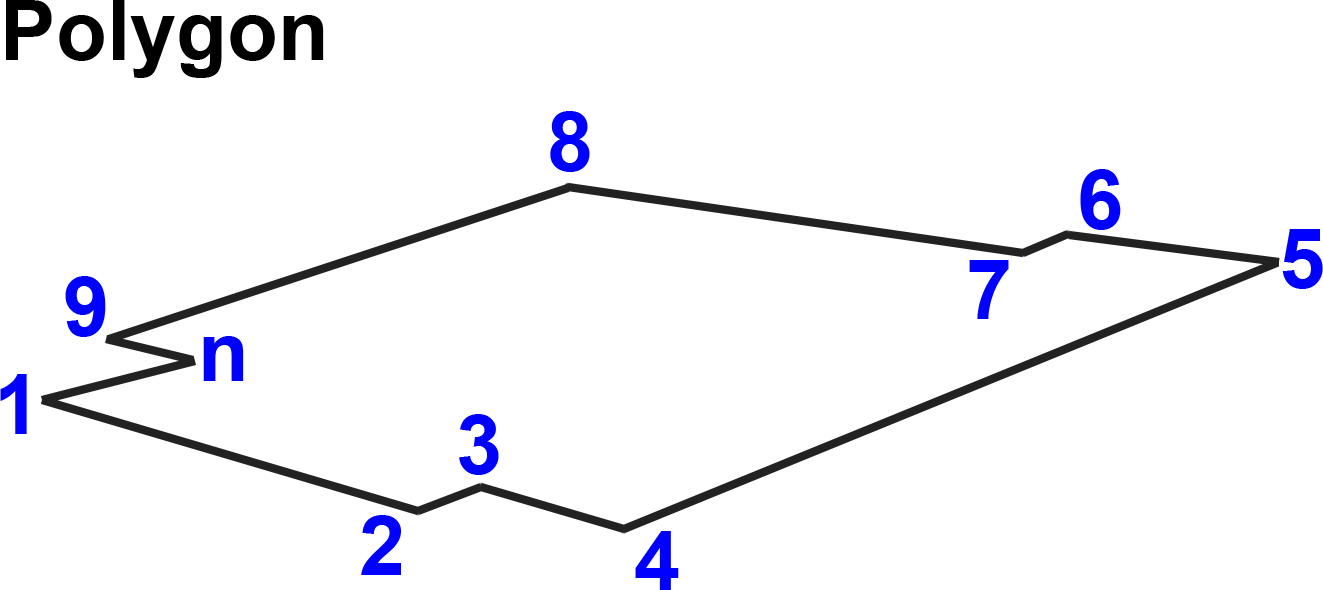
Polygon The last polygon point must be set with a double-click. |
|
|
8 |
Gable/Hip roof |
|
|
9 |
Gambrel roof |
|
|
10 |
Gambrel/Mansard roof |
|
|
11 |
Hipped-Gable roof |
|
|
12 |
Gable/Hipped-Gable roof |
|
|
13 |
Hip/Hipped-Gable roof |
|
|
14 |
Cut-Gable roof |
|
|
15 |
Cut-Gable/Hip roof |
|
|
16 |
Cut-Tent roof The function could also named Cut-Hip roof.
|
|
|
17 |
Gablet roof |
|
|
18 |
Gable/Gablet roof |
|
|
19 |
Hip/Gablet roof |
|
|
20 |
Hipped-Gable/Gablet roof |
|
|
21 |
Staggered-pitch roof |
|
|
22 |
Saw-toothed roof A dialog pop up after the 3rd or 4th eaves point to set the number of tooths, the height and the orientation. |
|
|
23 |
Tower Roundish roofs like the tower are defined with a circular shape.
|
|
|
24 |
Dome roof Roundish roofs like the dome roof are defined with a circular shape.
|
|
|
25 |
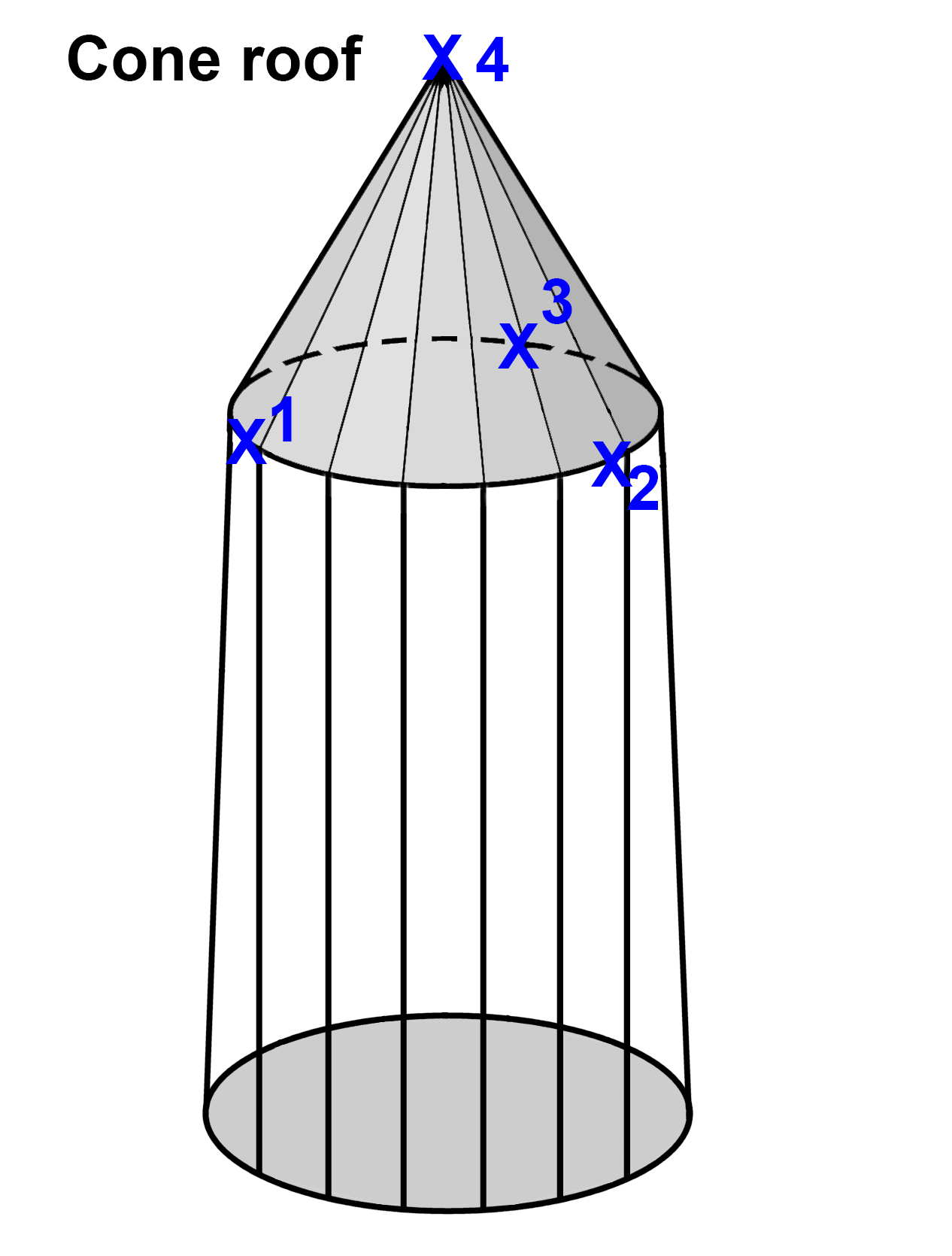
Cone roof Roundish roofs like the cone roof are defined with a circular shape.
|
|
|
26 |
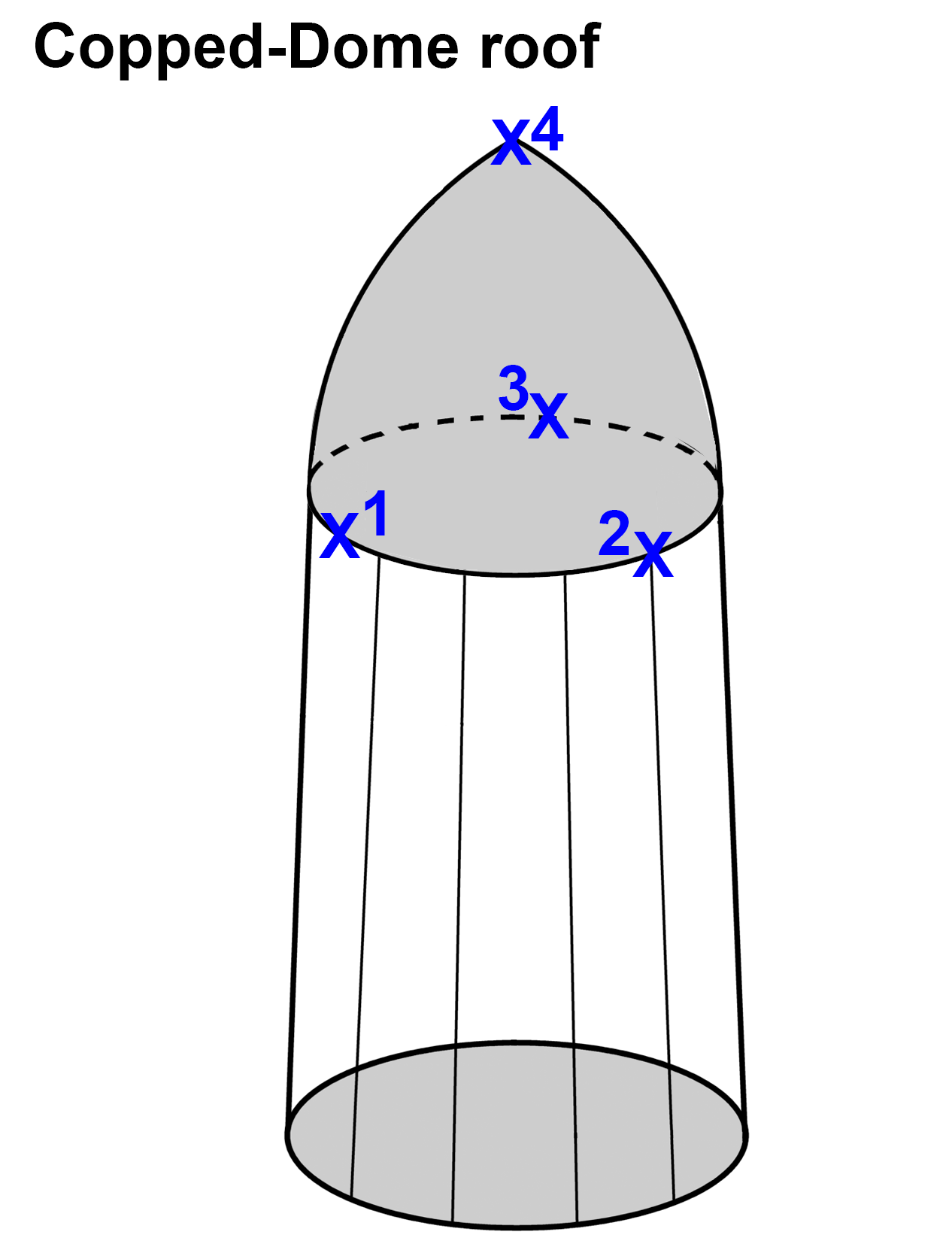
Copped-Dome roof Roundish roofs like the copped-dome roof are defined with a circular shape.
|
|
|
27 |
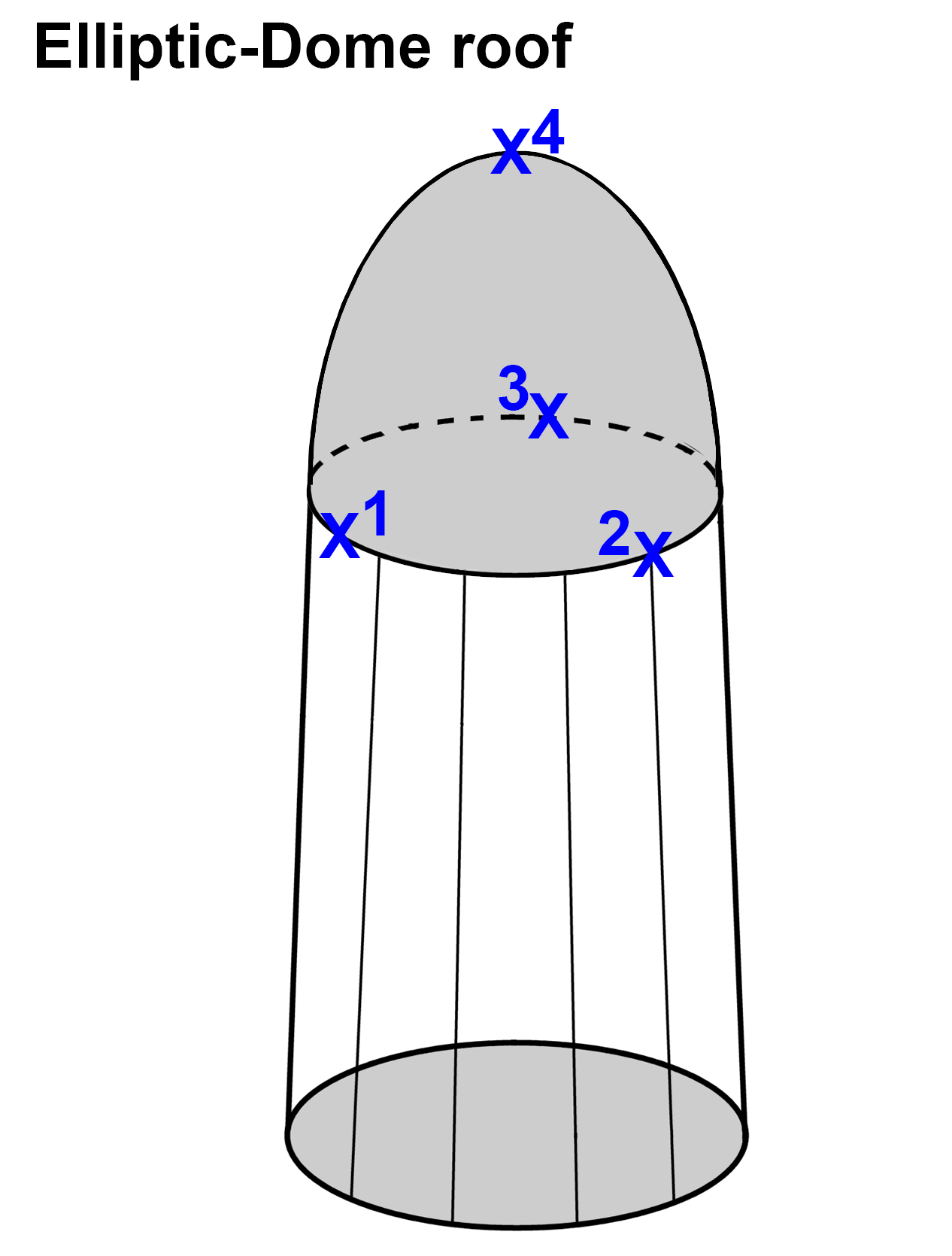
Elliptic-Dome roof Roundish roofs like the elliptic-dome roof are defined with a circular shape.
|
|
|
28 |
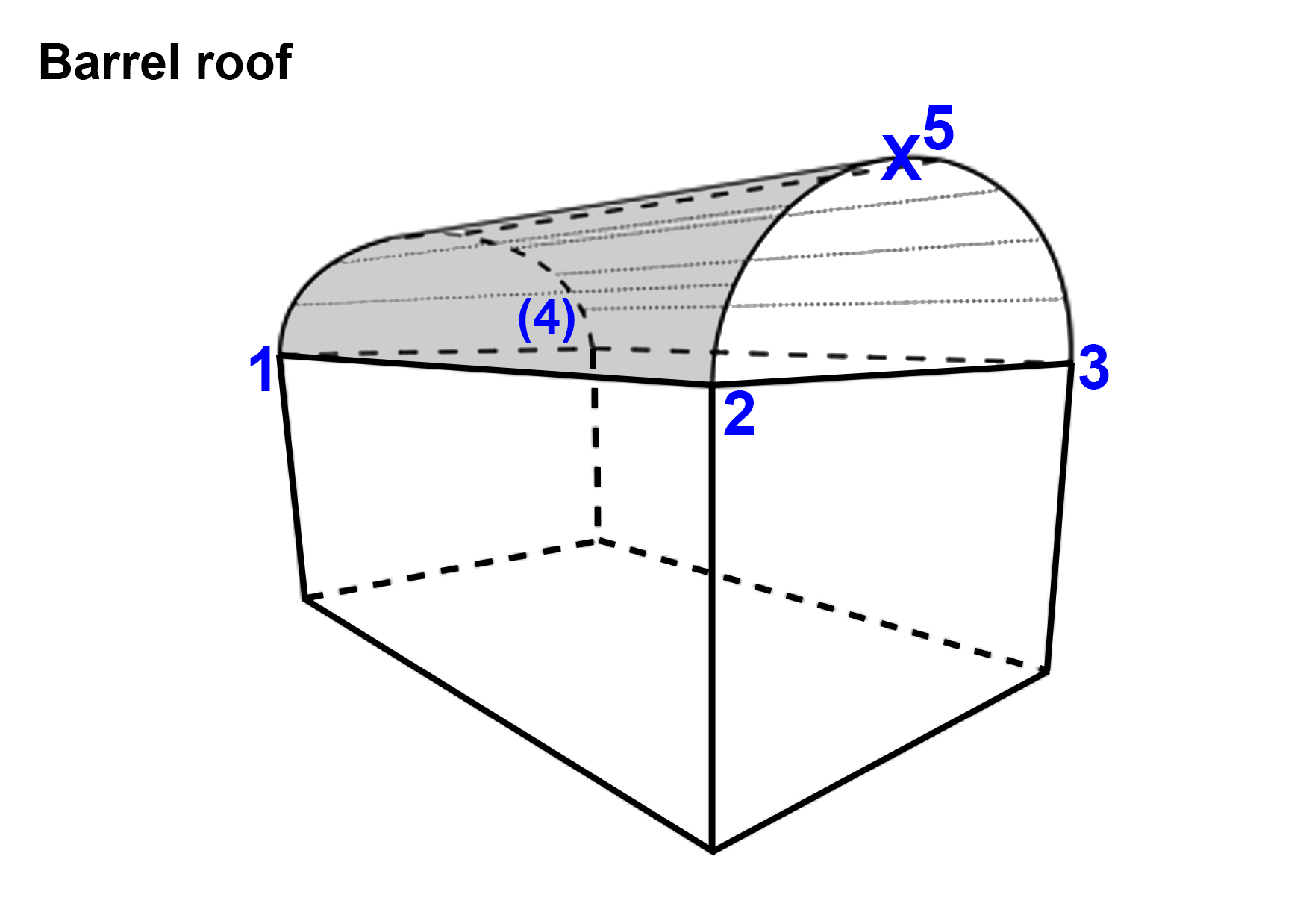
Barrel roof The barrel roof is defined with a circular shape.
|
|