
Select 
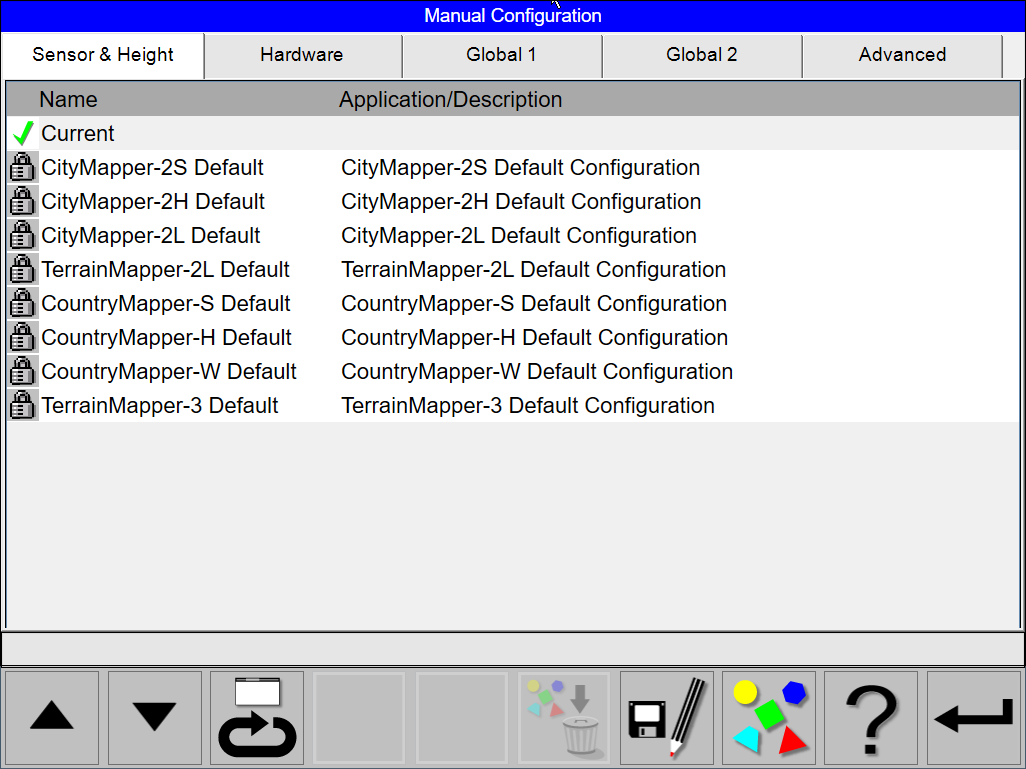
The topmost configuration in the list is the Current configuration. The origin of this configuration is displayed in the right most column.
The next group of configurations in the list is the User defined configurations if such configurations have been defined.
The last group of configurations in the listing is the Predefined configurations.
Selection can also be made by touching the desired row.
Use 

The selected configuration is marked with the highlighted bar.
Select
Select 
Select 
Predefined configurations

This icon shown on the left side of the configuration shows that the configuration is a Predefined configuration.
Several predefined configurations are delivered with the system . These predefined configurations can be selected. These configurations can also be edited and saves as an User defined configuration. The predefined configurations cannot be deleted.
User defined configurations

This icon shown on the left side of the configuration shows that the configuration is a User defined configuration.
Any number of configurations can be defined by the operator. To create a new configuration, an existing configuration is selected, edited and stored under a new name. The existing configuration can be either a Predefined or a User defined configuration.
Current configuration

This icon shown on the left side of the configuration shows that the configuration is the Current configuration.
If a Predefined or User defined configuration is selected to be used for system configuration, the configuration is duplicated and replaces the previous Current configuration in the configuration list. The origin of this configuration is displayed on the right most column of the configuration list. The Current configurations can be selected during configuration just like a Predefined or User defined configuration. This configuration can then be edited and saved as an User defined configuration. It cannot be deleted. If changes are made to the system configuration during flight execution via a direct link to a low level configuration node, the changes affect the Current configuration. The modification will be indicated on the right most column of the configuration list. The origin of the configuration will not be affected.