
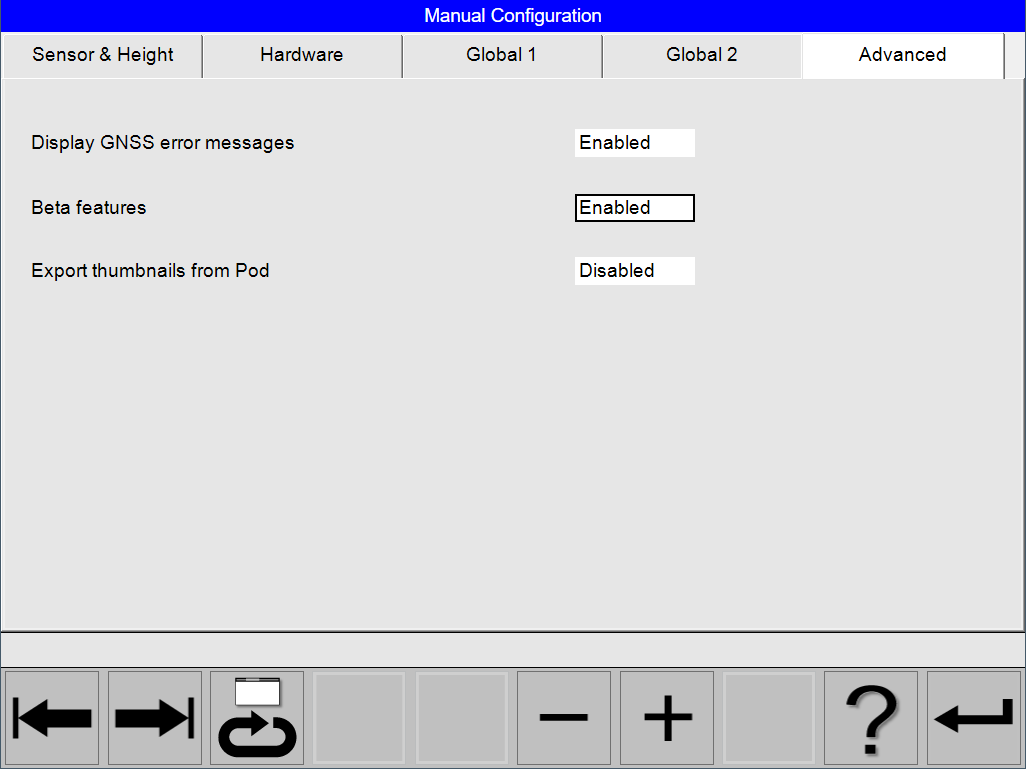
The Advanced tab allow for the selection of advanced features.
Enter Advanced Configuration
Select
Select
Navigation and Interaction
The selected configuration is shown with a whit background and marked with a thicker outline.
Use
Use
Select
Select
Select
If the predefined sets matches, select [Return] to open the dialog for ‘Save’, ‘Save as’ or ‘Cancel’.
Advanced configuration
|
Parameter |
Setting |
Remarks |
|---|---|---|
|
Display GNSS error message |
|
Enabled by default If disabled, GNSS error messages will only be displayed in the status line. |
|
Beta features |
|
Disabled by default Only enable this feature if you have signed a Beta test agreement with Leica Geosystem |
|
Export thumbnails from Pod |
|
Disabled by default Only enable this feature if a fast disk is attached to the Pod |