
The 3D Model products generated by HxMap are delivered in an internal *.tdc file format. The TDC format is required by the HxMap 3D Editor and process of texturing. In order to use the final 3D model objects in a GIS environment or other 3rd party software, it's useful to convert the data into a common format. The Export 3D model tool allows converting TDC into OBJ or CityGML file format.
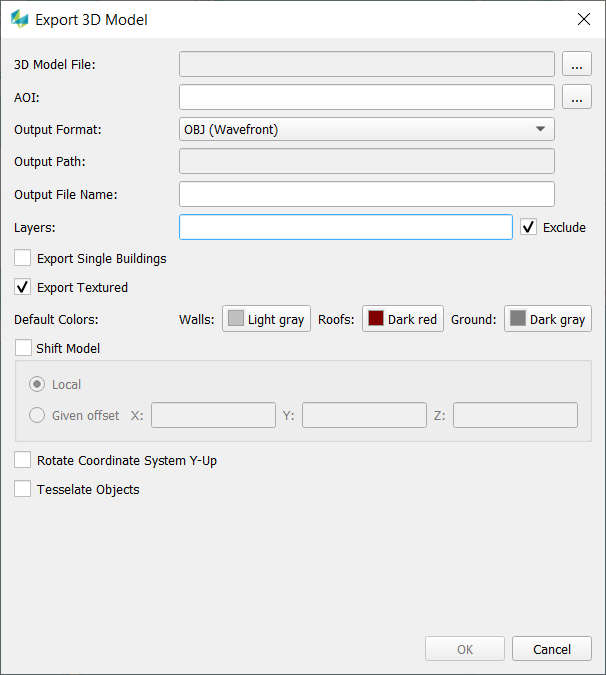
After selecting a 3D Model file (*.tdc) you have following options:
-
Customize the output path
-
Define an AOI (*.shp).
-
If no AOI is defined the whole area of the input data are exported.
-
If the shape file contains multiple polygons multiple export files will be generated.
-
-
Pick the desired output format
-
Define layers to be in-/excluded (e.g. 1,3, 5-9)
-
Export objects as single building files (Object ID is used to define which parts belong to one building)
-
Define default colors for untextured roof, wall or ground faces
-
The OBJ export has additional options:
-
Shift of the 3D Model to a local origin or with a given offset
-
Rotation of the coordinate system (Y-Up) and a new tessellation of the geometry is possible.
-
-
CityGML can be exported in version 1.0 and 2.0. The spatial reference system can be defined by a text string (srsName) but the correctness will not be checked.